How to Know When Your Office Copier Needs Repair in Irvine
If you run a business in Irvine, you already know how important your copier is. Contracts, invoices, training documents, marketing materials — everything depends on it. When problems start, ignoring them can lead to expensive downtime.
This guide explains how to recognize the early signs that you need Copier Repair in Irvine. It also helps you understand when to call a professional copier repair service before a small issue becomes a big repair bill. If the machine turns out to be past worth repairing, our copier leasing in Irvine page covers the replacement options.
1. Frequent Paper Jams That Won’t Stop
Every copier jams once in a while. It happens. A slightly bent sheet or overloaded tray can cause it. But if your machine jams daily or multiple times a day, that is not normal.
Frequent paper jams often point to:
-
Worn paper rollers
-
Dirty feed mechanisms
-
Misaligned trays
-
Faulty sensors
Many offices try to fix this by switching paper brands or shaking the tray. That might work for a day or two. If the problem keeps coming back, you likely need professional copier repair services.
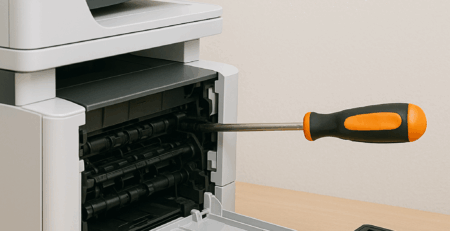
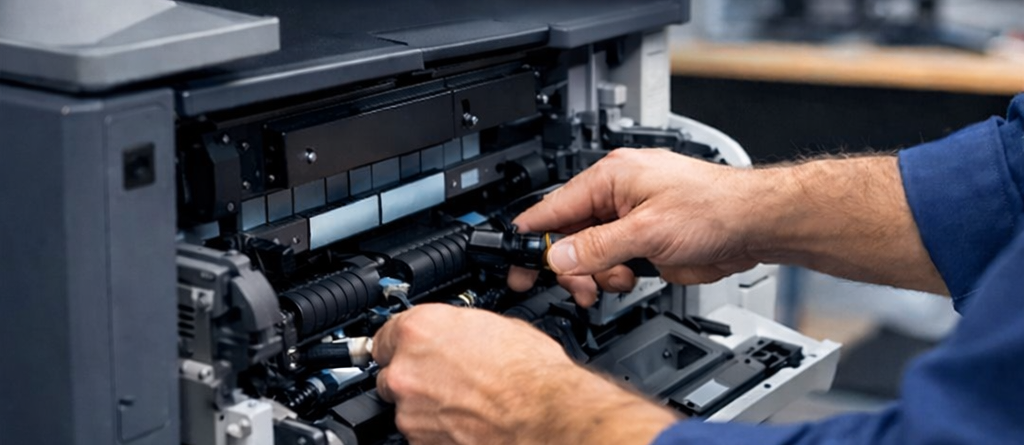
A trained technician can inspect internal rollers and sensors. Replacing small worn parts early is much cheaper than waiting until the entire paper feed system fails.
2. Poor Print Quality or Faded Copies
If your documents look faded, streaked, or smudged, your copier is asking for attention.
Common print quality issues include:
-
Vertical lines on pages
-
Dark smudges
-
Uneven toner distribution
-
Light or faded text
Sometimes the issue is simple, like low toner. But if replacing toner does not fix it, you may need copier machine repair.
For example:
-
Canon copier repair may involve drum or fuser issues.
-
Xerox copier repair often includes cleaning internal imaging components.
Print quality problems rarely fix themselves. And if you hand a client a document that looks like it survived a rainstorm, it does not reflect well on your business.
3. Strange Noises During Operation
Copiers are not silent machines. They hum, click, and whirr. That is normal.
Grinding, screeching, or loud knocking sounds are not.
Strange noises often mean:
-
Gears are wearing down
-
Internal parts are misaligned
-
Rollers are slipping
-
The fuser assembly is failing
If your copier sounds like it is chewing gravel, it is time to schedule a copy machine repair service.
Ignoring noise issues can cause more damage. A small worn gear can eventually damage surrounding components. Repairing one part is manageable. Replacing half the machine is not.
4. Slow Performance or Constant Error Codes
Is your copier taking forever to warm up? Does it freeze during large print jobs? Are error messages becoming a daily routine?
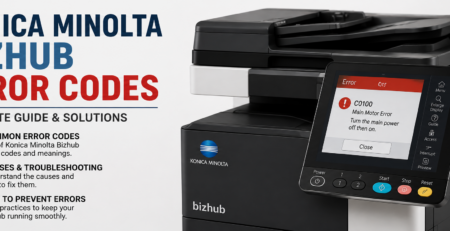
Modern copiers display codes for a reason. They are warning you.
Common signs include:
-
Repeated paper feed errors
-
Memory errors
-
Network connection failures
-
Random system restarts
If rebooting the machine temporarily solves the problem, that is usually a short-term fix. Recurring errors signal that you need professional copy machine service and repair.
In many Irvine offices, network-related copier issues are common. A local copier repair service can check both hardware and network settings to solve the root cause.
5. Wrinkled, Torn, or Misaligned Prints
When your documents come out wrinkled or folded, it is more than just an inconvenience.
This usually points to:
-
Worn fuser rollers
-
Heat assembly problems
-
Paper path misalignment
Wrinkled pages can jam more easily. Over time, that stress damages internal components.
If your machine starts producing “abstract art” instead of clean documents, it is time to consider Copier Repair in Irvine.
6. Overheating or Burning Smell
A faint warm smell after heavy use is normal. A strong burning smell is not.
If you notice:
-
A sharp electrical odor
-
Excessive heat from the machine
-
Smoke or unusual warmth
Turn the copier off immediately.
Electrical issues should never be ignored. A failing power supply or overheated fuser can damage internal boards. In rare cases, it can become a safety hazard.
Emergency copier repair service can prevent more serious damage and protect your office.
7. Copier Frequently Shuts Down
If your copier randomly powers off or restarts, there may be:
-
A faulty power supply
-
Internal circuit board issues
-
Software firmware problems
Many businesses try multiple power outlets or extension cords. That rarely solves the problem.
Unplanned shutdowns interrupt workflow and frustrate employees. Reliable copier repair services can diagnose whether the issue is electrical, mechanical, or software-related.
8. Repair vs Replace: How to Decide
At some point, every office asks the same question. Should we repair this copier or replace it?
Consider:
-
Age of the machine
-
Frequency of breakdowns
-
Cost of repeated repairs
-
Availability of parts
If your copier is under seven years old and parts are available, repair is usually cost-effective. If it breaks down every month and parts are discontinued, replacement may be smarter.
A professional copier machine repair technician can give honest guidance based on condition and cost.
9. Why Choose a Local Copier Repair Service in Irvine
When your copier fails, waiting three days for a technician is not ideal.
Choosing a local provider for Copier Repair in Irvine offers:
-
Faster response times
-
On-site diagnostics
-
Knowledge of common business equipment
-
Brand-specific experience
Local technicians are familiar with office environments in Irvine. They understand the pace of local businesses and the need for quick turnaround.
Whether you need Xerox copier repair, Canon copier repair, or general copy machine repair service, working with a nearby team reduces downtime and stress.
10. Preventive Maintenance Tips
The best repair is the one you never need.
Here are simple steps to reduce breakdowns:
-
Keep the copier clean
-
Store paper in dry conditions
-
Avoid overloading trays
-
Schedule routine servicing
-
Update firmware when recommended
Regular copy machine service and repair maintenance can extend the life of your equipment and prevent sudden failures.
Think of it like maintaining a car. A small oil change now is better than replacing the engine later.
Conclusion
Copiers usually give warning signs before they completely fail. Frequent jams, strange noises, poor print quality, and constant error codes are not minor annoyances. They are signals.
If your office copier in Irvine shows any of these symptoms, acting early can save money and prevent downtime.
Professional Copier Repair in Irvine ensures your machine runs efficiently, supports your team, and keeps your business moving without interruption.
Frequently Asked Questions (FAQ)
How do I know if my copier needs professional repair?
If you experience repeated paper jams, strange noises, poor print quality, or constant error messages, it is time to call a professional copier repair service.
How much does copier repair cost in Irvine?
Costs vary depending on the issue and brand. Minor repairs may cost less than replacing parts. A technician can provide a clear estimate after inspection.
Do you offer Xerox copier repair?
Yes, professional technicians handle Xerox copier repair, including imaging and mechanical issues.
Do you provide Canon copier repair services?
Yes. Canon copier repair includes drum replacement, fuser repair, and internal cleaning.
How quickly can a technician arrive in Irvine?
Local copier repair services often provide fast, often next-day service, depending on availability.
Is it better to repair or replace an old copier?
If the machine is relatively new and parts are available, repair is usually more cost-effective. Older machines with frequent issues may need replacement.
Can I fix paper jams myself?
You can remove visible jams carefully. If jams happen frequently, professional copy machine repair service is recommended.
What causes faded copies?
Low toner, worn drums, or fuser problems can cause faded copies. If toner replacement does not help, repair may be required.
How often should I schedule maintenance?
Most offices benefit from routine maintenance once or twice a year, depending on usage.
Does regular servicing extend copier life?
Yes. Scheduled copy machine service and repair reduces wear and prevents major breakdowns, extending equipment lifespan.