Photocopier Problems by Brand: What Konica Minolta, Toshiba, and Kyocera Owners See Most
Every copier brand has its own personality once it has a few years on it. The fault that shows up constantly on a Konica Minolta bizhub is rarely the one a Toshiba e-STUDIO owner complains about. Kyocera machines fail in their own particular way too. We have serviced all three across Orange County offices long enough to see the pattern for each, and knowing it ahead of time makes it a lot easier to tell a quick fix from something that needs a technician.
Konica Minolta bizhub: SC Codes and Drum Wear
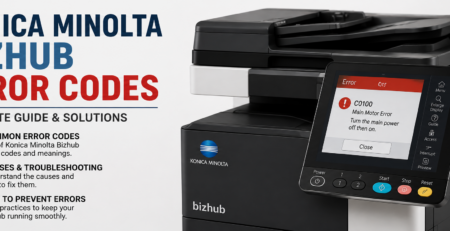
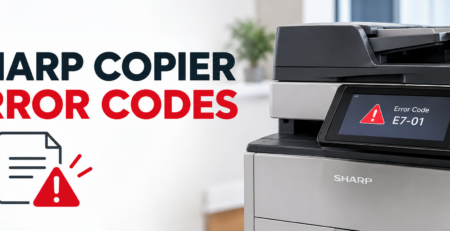
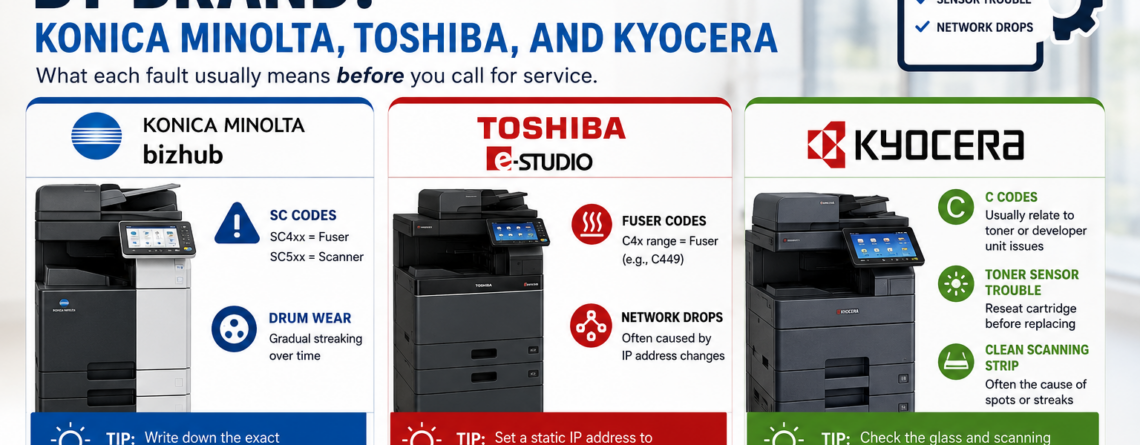
Konica Minolta machines are generally solid workhorses. The bizhub line does have one known weak point though, its SC error codes, which cover everything from a stuck sensor to a failing fuser. Write down the exact number before you call. SC4xx usually points to the fuser. SC5xx tends to mean the scanner unit.
The other pattern on bizhub devices is slower and easier to miss. Copies get faintly streaky over a period of weeks, not all at once, and it is usually the drum wearing down rather than a toner problem. Because the decline creeps in so gradually, offices often live with it far longer than they should before calling, and by then the drum needs replacing instead of just cleaning.
Toshiba e-STUDIO: Fuser Codes and Network Drops
Toshiba e-STUDIO units tend to run for a long time without complaint, which makes the failures that do happen feel sudden. The most common code we see on these machines is in the C4x range, which almost always traces back to the fuser. A C449 or similar code that returns right after a power cycle usually means the fuser assembly itself needs attention rather than a setting.
Toshiba machines on a network also seem more prone to quietly dropping off than other brands once a router reassigns IP addresses. The copier itself is fine, but every computer in the office suddenly cannot find it. Reassigning a static address usually solves this for good, rather than it becoming a recurring monthly headache.
Kyocera: C Codes and Toner Sensor Trouble
Kyocera copiers use a simpler C code system, and the codes we see most often relate to the toner and developer unit rather than the fuser. A C6000 series code, for instance, often points to a toner sensor that is misreading the cartridge rather than the cartridge actually being empty. Reseating the cartridge clears a surprising share of these before any part needs replacing.
Kyocera units are also known for their long rated drum life, so when a Kyocera machine starts producing spots or light streaking, the cause is more often a dirty scanning strip than a drum nearing the end of its rated cycles. Worth checking the glass before assuming the worst.
Why the Brand Matters Before You Call
Know the brand, know the pattern. That alone saves time on the phone and usually gets the right part on the van the first trip out, instead of a second visit once the technician sees what they are actually dealing with. We work on all three day in and day out across Orange County, plus copier and printer repair for HP, Sharp, and Canon. Offices in Irvine and Anaheim make up a good share of our regular calls, so chances are we have already seen your exact machine.
If Your Fleet Mixes Brands
A lot of offices end up with two or three brands without ever planning it that way. Someone bought a Kyocera in 2019, the Toshiba came with the lease renewal, and now the front desk has a bizhub nobody quite remembers ordering. Three brands means three error code systems, and nobody on staff wants the job of memorizing all of them.
This is really where a managed print program earns its keep. One team tracks the whole fleet, so it does not matter whose desk the bizhub sits at or whether the C code is a Kyocera thing or a Toshiba thing. We already know. We catch most of it before it turns into a service call at all.
When the Fault Goes Beyond a Quick Fix
A power cycle, a reseated cartridge, a wipe of the scanning strip. Together those clear a decent share of what is on this list. But if the same code keeps coming back, or the page quality keeps sliding no matter what you clean, stop troubleshooting and make the call.
Tell us the brand and the code when you reach out to the Effiservice team, or just call 714-331-5509. Half the diagnosis is done before the van leaves the lot.
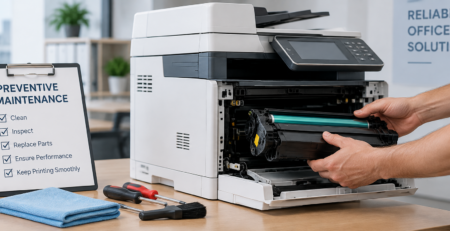
Simple habits that prevent brand problems
No matter which brand you run, the same few habits cut breakdowns sharply. Use quality paper stored flat and dry, keep the glass and feeder clean, replace consumables on schedule instead of running them to failure, and book a preventive-maintenance visit once or twice a year. A clean, maintained copier is far less likely to fail on a deadline, and it holds its print quality longer.
Related Guides
- Common Copier Problems and How to Fix Them
- Most Common Kyocera Printer Error Codes and How to Fix Them
- Ricoh Copier Print Quality Issues? Here’s How to Fix Them
Frequently asked questions
Which copier brand has the fewest problems?
Every major brand is reliable when maintained. Problems come from skipped maintenance and worn consumables far more than from the brand itself.
What does an SC or C code mean on my copier?
It is a hardware fault code. Note the exact number, try one clean restart, and call a technician if it returns.
Why does my Kyocera keep asking for a maintenance kit?
Kyocera schedules a maintenance kit at set page counts to replace wear parts. Installing it on time prevents jams and quality problems.
How do I stop paper jams on a Konica Minolta bizhub?
Close trays gently, do not force consumables, use the correct paper weight, and replace worn feed rollers.
What causes lines on copies across brands?
A worn or dirty drum, or toner near the end of its life. Reset density, then replace the drum or toner.
Why does my Toshiba e-STUDIO drop scan to email?
Usually an expired password or a changed mail setting rather than a hardware fault. Recheck the scan settings first.
Can I fix a copier error code myself?
A one-time code often clears on a proper restart. A repeating code points to a part that needs service.
How often should each brand be serviced?
A preventive visit once or twice a year, plus regular cleaning, suits Konica Minolta, Toshiba, and Kyocera alike.
Do you repair all copier brands?
Yes. Effiservice services Konica Minolta, Toshiba, Kyocera, Ricoh, HP, OKI, and more across Orange County.
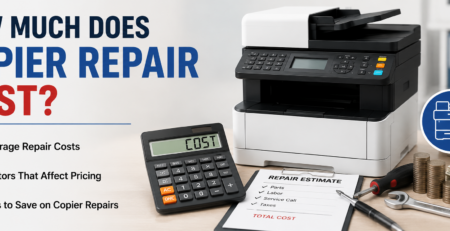
Is it cheaper to repair or replace a copier?
For most business machines, repair is far cheaper unless the copier is very old or failing repeatedly. A technician can advise after a quick check.
Copier acting up, whatever the brand? We can help.
Effiservice provides fast, on-site copier and printer repair across Orange County, including fast help in Irvine and nearby cities. Genuine parts, experienced technicians, and honest pricing. Call today at 714-331-5509.