Is Your Copier Worth Repairing, or Is It Time to Replace It?
This question lands on someone’s desk the same way every time. The copier breaks down for the second time this quarter, the repair quote comes in, and somebody has to decide whether that money is well spent or whether it is just delaying the inevitable. Most of the advice online tells you to “consider the age and cost,” which is true and also not very useful. Here is the framework we actually use when a customer asks us this question, plus the honest answer about why a repair company will sometimes tell you not to repair.
Start With the 50 Percent Rule, Then Look Past It
The common shorthand is this: if a single repair costs more than 50 percent of a comparable new machine, replace it. It is a decent first filter, but it misses two things that matter more in practice, how old the machine already is, and whether this is an isolated repair or the third one this year.
A 50 percent repair on a two year old copier is usually still worth doing. The same 50 percent repair on a machine already past its expected service life is just postponing a decision you will face again in six months, with another bill attached.
Where Most Copiers Sit on Age
Most commercial copiers are built for a five to seven year service life under normal office volume. That number moves depending on print volume and how well the machine has been maintained, but it is the right starting point. A machine inside that window with a single repair issue is usually a repair. A machine outside that window, especially one already on its second or third repair, starts tilting toward replacement regardless of the repair cost itself.
The Real Cost Isn’t the Repair Bill
The number that actually decides this is rarely the invoice. It is downtime, and most offices underestimate it badly until they add it up. A few questions worth asking honestly before you approve a repair:
- How many times has this machine broken down in the past twelve months, not just this incident
- How many staff hours get lost each time it goes down, between waiting, working around it, and troubleshooting
- Is the same part failing repeatedly, which usually signals the machine is wearing out as a whole rather than one component giving out
- Are parts for this model getting harder or slower to source, which happens as machines age out of a manufacturer’s support window
A machine that has gone down three times this year with three different repair bills has already cost more than the math on any single invoice suggests, even before you factor in what staff time was worth during each outage.
When Repair Is Clearly the Right Call
- The machine is under five years old and this is its first or second service issue
- The repair addresses a single component, not a pattern of failures across different systems
- Parts are readily available and the repair cost sits well under half of replacement cost
- The office’s print volume and needs have not changed significantly since the machine was bought
If that describes your situation, get the repair done and keep going. There is no reason to replace a machine that still has useful years left in it.
When Replacement Makes More Sense
- The machine is past seven years old, regardless of how the current repair quote looks on its own
- This is the second or third breakdown within twelve months
- The office has outgrown the machine, printing far more volume than it was specified for
- Replacement parts are backordered or discontinued for the model
In that situation, the repair bill is rarely the real cost. The real cost is doing this again in a few months. It is usually worth looking at buying or leasing a replacement instead, and if the timeline is tight, a short rental can cover the gap while a new machine gets sorted.
An Honest Note From a Repair Company
It would be easy for a repair business to tell every customer to repair, since that is the work in front of us. We do not do that, because a customer who gets talked into another repair on a machine that is clearly done ends up back here in three months annoyed, and that costs us the relationship far more than one declined service call ever would. If a machine is past its useful life, we will tell you, even though the easier short term answer for us would be to fix it again.
If You Are Managing More Than One Machine
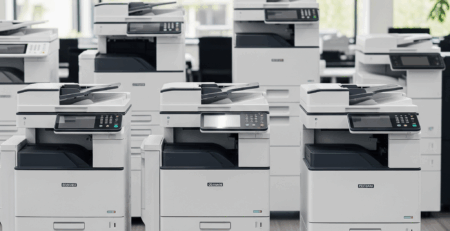
Offices running several copiers often find this decision easier with a clearer picture of the whole fleet rather than judging one machine at a time. A managed print program tracks age, repair history, and usage across every device, so the repair or replace question gets answered with real data instead of a gut call made the day something breaks.
Not Sure Which Side of the Line You’re On?
Send us the model and what has gone wrong, or book a repair assessment, and we will give you a straight answer, not a sales pitch. Call 714-331-5509 and tell us what the machine is doing.
Repair or Replace Your Copier FAQ
What is the 50 percent rule for copier repair?
It is a rough guide, not a law. If a single repair costs more than half what an equivalent replacement machine would cost, replacement usually makes more sense. Treat it as a starting point rather than the answer, because a machine that is otherwise healthy and lightly used can be worth a larger one-off repair than the rule suggests.
How long should an office copier last?
Most commercial copiers stay in service around five to seven years before volume, wear, or missing features push an office to replace them. Machines running well below their rated monthly volume often last longer, and machines run hard past their duty cycle rarely reach the top of that range.
Is it worth repairing a copier that is out of warranty?
Frequently yes. Out of warranty is not the same as end of life. What matters more is whether parts are still available for the model, how many separate faults the machine has had recently, and whether the failure is a wear item or something structural like the fuser assembly or main board.
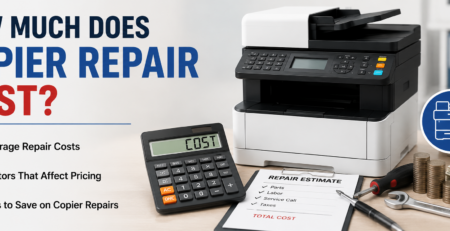
How much does a copier repair usually cost?
It depends on the fault and the part. Our guide to copier repair costs breaks down typical ranges by problem type so you can sense-check a quote before you accept it.
Does frequent jamming mean the copier is finished?
Not on its own. Repeated jams usually point to worn feed rollers, a separation pad, or a paper path sensor, all of which are serviceable parts rather than terminal faults. Jamming becomes a replacement argument when it persists after those parts have been renewed.
What should I do with the old machine if I replace it?
Deal with the data before it leaves. The drive inside holds images of what the machine copied, scanned, and faxed, and returning it unwiped is a real risk. See our guide to copier hard drive security for what to clear and what to ask for in writing.
Can you tell me which side of the line I am on?
Usually, yes. Give us the model, roughly how old it is, what it is doing now, and what it has needed in the last year, and we will tell you plainly whether it is worth fixing. We will say so when replacement is the better call, even though we are a repair company.