Canon imageRUNNER Error Codes: What They Mean
When a Canon imageRUNNER stops and puts a code on the panel, the first thing worth knowing is that Canon uses two completely different numbering systems, and they mean very different things. One says the machine has a hardware fault and has shut itself down. The other says a scan or fax did not go through, while the machine itself is perfectly fine. Offices routinely call out a technician for the second kind, which is almost always a network or settings problem. This guide explains both, lists the codes we see most often with what causes them, and makes clear which ones you can clear yourself.
Canon’s two code systems
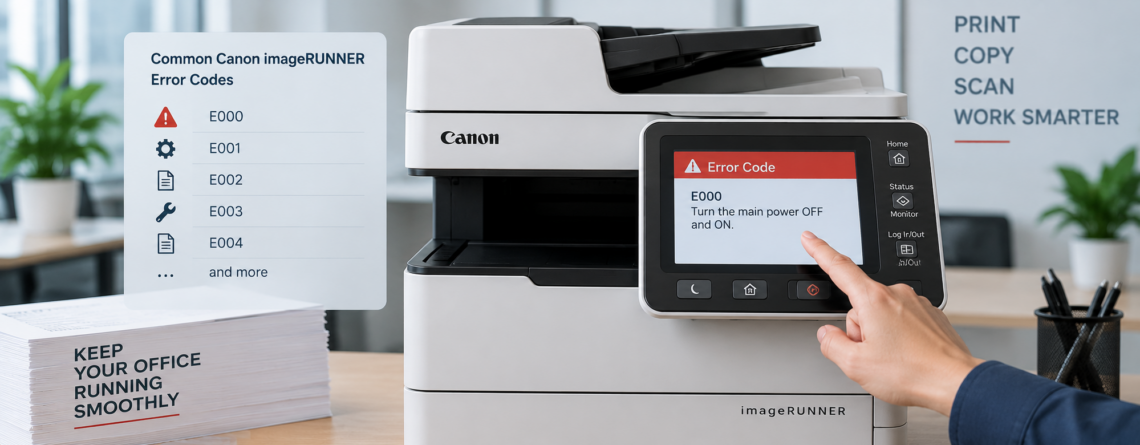
E-codes such as E000 or E602 are service errors. The machine has detected a hardware fault and has stopped, usually locking itself so it does not cause further damage. These need attention at the machine.
Hash codes such as #018 or #801 are job result codes. They appear in the send log or on a result report when a fax, scan-to-email, or scan-to-folder job fails. The copier is working. Something about the destination, the network, or the credentials is not.
If your code has a hash in front of it, do not book a repair visit until the network side has been ruled out. That single distinction saves a lot of unnecessary call-outs.
Reading the E-code format
E-codes usually appear with a four digit suffix, written as E000-0000 or E019-0002. The first part identifies the subsystem at fault. The suffix is the detail code, and it narrows down which sensor, motor, or condition triggered it.
For a technician the suffix matters, because two machines showing the same E-code with different suffixes can need different parts. When you report a fault, read out the whole thing rather than just the first part. It is the difference between a diagnosis over the phone and a diagnosis on site.
Note also that codes vary between series. An imageRUNNER, an imageRUNNER ADVANCE, and a small desktop model do not use an identical table, so treat the lists below as the common cases rather than as a universal reference for every machine Canon has built.
The fuser codes: E000 to E003 and E007
This group accounts for a large share of the Canon service calls we take, and they are all about fixing temperature.
| Code | What Canon says is happening |
|---|---|
| E000 | The fixing temperature does not rise after the power is turned on, due to a fault in the thermistor or the heater |
| E001 | The fixing temperature rises abnormally, due to a fault in the thermistor or the SSR |
| E002 | The fixing temperature does not reach the specified temperature within the expected time |
| E003 | The fixing temperature drops abnormally after the wait time is up |
| E007 | Also part of the fixing group, again a temperature condition outside the expected range |
All of these are safety shutdowns. When a fusing unit reads a temperature it does not expect, the machine cuts AC power to that unit deliberately, so a technician can look at it before it is powered up again. That is the correct behaviour and not a sign the machine is ruined.
What you can do: power the machine off at the switch, wait around ten minutes so the fuser cools, and power it back on. A genuine one-off condition, such as a brief power dip, will often clear.
What you should not do: keep power cycling to force it past the code. If the same fuser code returns, the thermistor or heater is faulty and the machine is telling you so. Repeatedly resetting a fixing fault is how a part replacement becomes a fuser assembly replacement.
Other E-codes we see regularly
| Code | Cause | Realistic action |
|---|---|---|
| E019 | The waste toner case is detected as full | Replace or empty the waste container. Some models need a technician to reset the counter afterwards |
| E020 | Toner clogging between the sub hopper and the developing assembly | Technician. Do not attempt to clear toner blockages inside the developing unit |
| E202 | CIS home position detection error, meaning the scanner carriage is not reaching or reporting its home position | Check nothing is obstructing the scanner and power cycle once. If it returns, technician |
| E225 | Laser exposure error in the internal laser or scanner unit | Technician. Not user serviceable |
| E602 | Hard disk error, usually a mismatch in the data management information or a failing drive | Restart once. If it persists the drive is failing and needs replacing |
E602 deserves an extra note. If the hard disk is failing, everything stored on it is at risk, and that drive also holds images of documents the machine has processed. Before any drive is replaced or the machine leaves your building, read our guide to copier hard drive security, because a swapped-out drive still carries your data.
Canon showing a code you cannot clear?
Effiservice provides on-site Canon imageRUNNER repair across Orange County. Give us the full code including the suffix and we will tell you what it points to before we come out.
Prefer to book online? Visit our Orange County copier repair page or contact us here.
Hash codes: send, scan, and fax failures
These appear when a job fails rather than when the machine fails. The following are taken from Canon’s own imageRUNNER ADVANCE error code list.
| Code | What it means |
|---|---|
| #001 | Different sized originals were scanned without setting Different Size Originals mode |
| #009 | There is no paper, or the paper drawer is not correctly inserted |
| #018 | The recipient’s machine did not respond on redial, was busy, or the settings do not match |
| #037 | Insufficient memory to receive the document, or the data exceeded 1,000 pages |
| #099 | The job was cancelled, or main power was turned off during execution |
| #701 | The specified Department ID does not exist, or the PIN has changed |
| #751 | The server is not functioning, or the network is disconnected |
| #801 | SMTP timeout, a server error, or a permission and overwrite issue at the destination |
| #802 | The SMTP server name or the DNS server name is incorrect |
| #810 | POP server connection error |
| #839 | The user name or password in Communication Settings is incorrect (SMTP authentication) |
| #852 | Main power was turned off while a job was being processed |
| #853 | Insufficient resources for a large print job, the job was cancelled from the driver, or the spool region is full |
| #995 | Reserved communication jobs were cleared |
The pattern in the send errors
Look at #801, #802, #810, and #839 together and the shape of the problem becomes obvious. They are SMTP, DNS, POP, and authentication. None of them is a copier fault.
In practice these appear for one of a handful of reasons. A mail password was changed and nobody updated the copier. The mail provider tightened its authentication requirements, which has caught a great many machines in the last couple of years. The SMTP port or encryption setting no longer matches what the provider accepts. Or a DNS or firewall change happened on the network and the copier was not considered.
Because the copier holds credentials for that mail account and often for a file server as well, this is also worth treating as a security question rather than only a connectivity one. Our page on copier and print security covers what those stored credentials should and should not have access to.
What to try before calling
For an E-code:
- Write down the complete code including the four digit suffix
- Power off at the switch, wait ten minutes, power on
- If it returns, stop and report it rather than resetting repeatedly
- Note anything that changed recently, such as a power cut, a paper change, or a jam that was cleared by force
For a hash code:
- Check whether other jobs to different destinations work, which separates a destination problem from a machine problem
- Confirm the mail password has not been changed recently
- Check the SMTP server address, port, and authentication settings against what your mail provider currently requires
- Confirm the machine still has network connectivity, and that no firewall or DNS change has been made
Most jams and quality complaints never produce a code at all. Those are covered in our guide to common copier problems and how to fix them.
Codes are usually the end of a process, not the start
A fixing fault rarely arrives out of nowhere. Fusers wear, thermistors drift, and rollers lose grip gradually, and the code appears at the end of that process rather than at the beginning.
That is the argument for scheduled servicing on any machine that matters to your office. Cleaning the paper path, checking wear parts, and reading the error log catches the faults that have been recurring and clearing themselves, which is exactly the pattern that precedes a lock-up. Our guide to copier preventive maintenance sets out how often that is actually needed based on your page volume.
If the machine is old enough that codes are becoming routine, the question changes from how to clear this one to whether the machine is worth keeping. Our breakdown of copier repair costs and our guide on repairing versus replacing cover that decision.
We service Canon imageRUNNER equipment throughout Orange County, including Irvine, Anaheim, Santa Ana, Huntington Beach, and Garden Grove, on machines bought or leased elsewhere and alongside the other brands in a mixed fleet.
Canon imageRUNNER Error Codes FAQ
What is the difference between a Canon E-code and a code with a hash in front of it?
An E-code such as E000 is a service error. The machine has found a hardware fault and stopped, usually locking itself to prevent damage. A hash code such as #801 is a job result code, meaning a fax, scan, or email job failed while the machine itself is working normally. Hash codes are almost always network, settings, or destination problems rather than repairs.
What does the number after the dash mean, as in E000-0000?
The first part identifies the subsystem at fault and the four digit suffix is the detail code, narrowing down which sensor, motor, or condition triggered it. Two machines showing the same code with different suffixes can need different parts, so always read out the whole code when reporting a fault.
What do E000, E001, E002, and E003 mean on a Canon copier?
They are all fixing, or fuser, temperature faults. E000 means the fixing temperature does not rise after power on. E001 means it rises abnormally. E002 means it does not reach the specified temperature in the expected time. E003 means it drops abnormally after the wait time. In each case the machine cuts power to the fusing unit deliberately as a safety measure.
How do I clear a Canon fuser error?
Power the machine off at the switch, wait about ten minutes so the fuser cools, then power it back on. That clears a genuine one-off condition such as a brief power dip. If the same code returns, the thermistor or heater is faulty and repeated resetting risks turning a part replacement into a full fuser assembly replacement.
What is error E602 on a Canon imageRUNNER?
A hard disk error, usually a mismatch in the data management information stored on the drive or a drive that is failing. Restart the machine once. If it persists, the drive needs replacing. Remember that the drive also holds images of documents the machine has processed, so it should be sanitized or retained rather than simply handed over.
Why does scan to email fail with #801 or #839?
Both are mail server problems rather than copier faults. #801 points to an SMTP timeout, a server error, or a permissions issue at the destination. #839 means the user name or password in Communication Settings is incorrect. The usual causes are a changed mail password, a provider tightening its authentication requirements, or a port and encryption setting that no longer matches.
What does #018 mean when sending a fax?
The recipient’s machine did not respond on redial, was busy, or the settings between the two machines do not match. Confirm the recipient’s machine can receive and try again. It is a communication result rather than a fault on your side.
Can I reset a Canon error code myself?
You can safely power cycle once for most codes, and E019 waste toner is often resolved by replacing the container, though some models need a technician to reset the counter. Codes involving the laser unit, the developing assembly, or a repeating fixing fault are not user serviceable, and forcing past them usually makes the repair larger.
Do all Canon models use the same error codes?
No. imageRUNNER, imageRUNNER ADVANCE, and smaller desktop models do not share an identical table, and suffixes differ between series. The codes covered here are the ones we see most often on office machines, but your model’s manual or your service provider is the authority for a specific device.
Do you repair Canon copiers in Orange County?
Yes. We provide on-site Canon imageRUNNER repair and maintenance across Orange County, including Irvine, Anaheim, Santa Ana, Huntington Beach, and Garden Grove, on machines bought or leased elsewhere. Give us the full code including the suffix and we can usually tell you what it points to before attending. Call 714-331-5509.