

Los Angeles Color Copiers and Printers Repair Services

Copier & Print Security in Orange County

Protect what your copiers store — from EFFISERVICE

Los Angeles Color Copiers and Printers Repair Services

Print Security for Orange County Offices

Every copier and multifunction printer in your office is a networked computer with storage inside it. It keeps images of what it copies, scans, prints, and faxes, it holds the credentials it uses to reach your file server, and on most machines the protections that would prevent all of this are switched off by default.

Effiservice reviews print security for Orange County offices, switches on the controls your equipment already has, and makes sure drives are cleared properly before a machine ever leaves your building. Most of the work is configuration rather than purchase, and we will tell you when your existing machines are already capable.

Print Security in Orange County

Most print security advice is written by IT firms who treat a copier as one more endpoint on the network. We come at it from the equipment side. Our technicians work inside these machines every day, so we know where each brand hides its encryption and overwrite settings, which models ship with a hard drive and which use flash, and what a leasing company actually does with a device once it goes back on the truck.

You work with a local, owner led team that knows your account and your machines. We handle mixed brand fleets, which is what most offices end up running, so nothing has to be standardized before your print security is taken seriously.

What California Law Expects

Most guidance on this subject stops at HIPAA. If you operate in Orange County there is a second layer that applies to you, and in some respects it is stricter.

The California Confidentiality of Medical Information Act requires any provider, health plan, or contractor that stores, destroys, or disposes of medical records to do so in a way that preserves confidentiality. A copier hard drive going back to a leasing agent unwiped is precisely the scenario that language covers. Penalties are assessed per violation, and a single copier drive can hold thousands of records.

Type of disclosurePenalty per violation
NegligentUp to $2,500
Knowing and willfulUp to $25,000
Knowing or willful, for financial gainUp to $250,000, plus disgorgement of profit

There is precedent behind this. A health plan that returned leased photocopiers without erasing the drives settled with federal regulators for $1,215,780 after the protected health information of up to 344,579 people was found on machines that had already left its offices. The finding turned on a simple omission: copiers had never been treated as storage devices in the first place. Our guide to copier hard drive security covers that case and the practical steps in more detail.

What Copier & Print Security Covers

Print security is not a single product. It is a set of controls that mostly already exist on your equipment and need to be turned on, configured, and checked. A review from Effiservice covers:

  • Drive encryption so data written to the machine cannot be read if the drive is removed
  • Job overwrite so each job's image is written over as soon as the job finishes
  • Full drive sanitizing before a machine is returned, sold, or scrapped
  • User authentication with PIN, badge, or network login so jobs are tied to a person
  • Secure print release so documents are not left sitting in the output tray
  • Scan destination security for scan to email and scan to folder, including the credentials the copier stores
  • Device hardening covering default passwords, unused ports and protocols, and firmware updates
  • Audit trails so you can see who used which machine and when

Signs Your Office Has a Print Security Gap

Most offices have at least one of these, and usually more than one. It is worth a review if any of this sounds familiar:

  • Nobody knows whether the copiers contain hard drives, or what is on them
  • The administrator password on your machines is still the factory default
  • Printed documents sit in the output tray until someone collects them
  • The copier scans to a shared folder using an account nobody has reviewed in years
  • Firmware has never been updated since the machines were installed
  • A previous copier went back at end of lease and no one wiped it
  • You handle medical, legal, financial, or student records and copiers are not in your risk assessment

Get a Free Quote

How Our Print Security Review Works

  1. We inventory the fleet and identify which machines have hard drives, which use flash memory, and what each model supports.

  2. We check what is currently switched on, including encryption, job overwrite, authentication, firmware level, and default passwords.

  3. We give you a written summary of the gaps, in plain language, with the fixes ranked by risk rather than by what is easiest to sell.

  4. We enable the controls your machines already support and configure secure release and scan destinations where they are needed.

  5. When a machine leaves, we sanitize the drive and provide a certificate recording the device, serial number, method, and date.

What Happens at End of Lease

The riskiest day in a copier's life is the day it leaves. The drive goes back inside the machine unless somebody deals with it, and regulators have consistently held the organisation that leased the equipment responsible for the data that left on it.

Before a machine is collected we:

  • Confirm whether the model holds a hard drive or uses flash memory
  • Run a full sanitize rather than a factory reset, which clears settings but not stored images
  • Clear the address book, scan destinations, and any stored network credentials separately
  • Issue a certificate of sanitization naming the device, serial number, method, and date
  • Tell you where your lease allows the drive to be retained instead of returned

Who This Matters Most For

Any copier that has handled payroll, contracts, or client records holds sensitive data. Some offices carry a specific legal duty on top of that.

  • Medical and dental practices under HIPAA and California's CMIA
  • Law firms handling privileged client material
  • Escrow and title offices processing identity and financial documents
  • Accountants and bookkeepers holding tax records and bank details
  • Schools and districts with student records
  • HR departments in any business, which copy identity documents routinely

Common Mistakes We Find

These come up again and again on Orange County fleets, and none of them require a sophisticated attacker to become a problem.

  • Factory admin passwords still in place. The default is printed in a manual anyone can download.
  • Encryption and overwrite never enabled. On most machines these ship switched off, so the feature you paid for has never run.
  • Scan-to-folder using a privileged account. The copier holds working credentials for a share that often has far broader access than scanning requires.
  • Firmware untouched since installation. Vendor security updates exist but nobody applies them.
  • Documents left in the output tray. The simplest breach in any office needs no network access at all.
  • Old machines returned without a wipe. Usually because nobody realised there was a drive to wipe.

Print Security and Managed Print

Handling this once every five years does not work, because the fleet changes and the settings drift. The offices that stay on top of it treat copiers the same way they treat servers and laptops: in the inventory, with the protections switched on at installation and checked periodically.

That is ordinary fleet hygiene, and it is part of what a managed print programme is meant to cover. Whether you run it in house or hand it to us, the requirement is the same. Know which machines hold data, know the protections are on, and be able to prove a drive was cleared when a machine leaves.

What a Print Security Review Includes

Every office is different, but a review normally covers a fleet inventory, a check of encryption and overwrite settings on each device, firmware and password hardening, secure print release where it is wanted, scan destination and stored credential review, and a written record of what was found and what was changed. Where a machine is approaching end of lease, we plan the drive sanitization before the return date rather than on the morning the truck arrives.

Brands We Secure

We work on the brands Orange County offices actually run, including Toshiba, Kyocera, Konica Minolta, Ricoh, HP, Sharp, and Canon. Each manufacturer names its protections differently, which is a large part of why they go unused.

Konica Minolta bizhub devices carry HDD encryption, automatic job overwrite, an HDD lock password, automatic deletion of stored user box jobs, and HDD sanitizing with a choice of overwrite methods. Every one of those functions is off by default and an administrator has to enable it deliberately.

Kyocera uses a Data Security Kit on supported MFPs and printers, which encrypts data before it is written to the disk and offers two overwrite methods in manual and automatic modes.

Ricoh ships the DataOverwriteSecurity System, which destroys temporary data by overwriting it with random sequences of ones and zeros each time a job runs, so images do not accumulate between service visits.

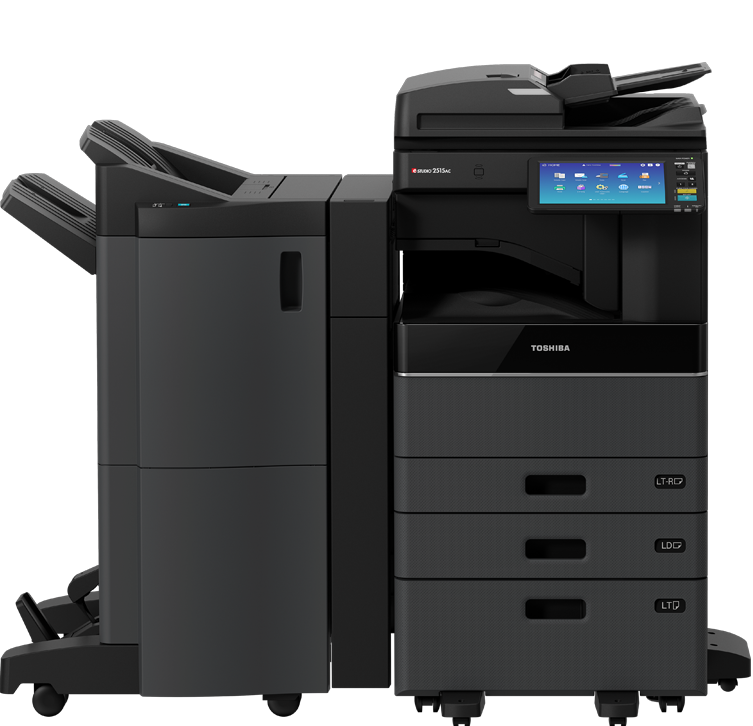
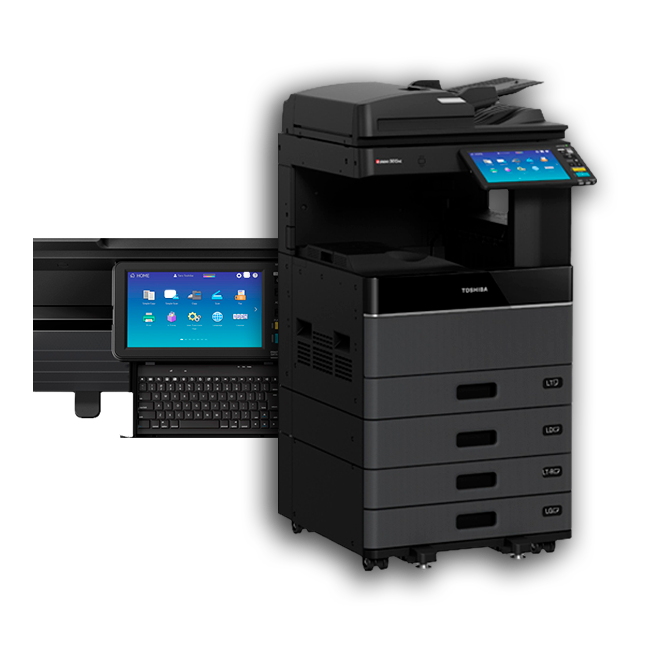
Toshiba builds self encrypting drives into its MFP hardware, which invalidate protected data when the drive is connected to an unrecognised host.

Sharp, Canon, HP, and Lexmark all offer equivalents under different names. We find the setting on whatever you already own rather than telling you to replace it.

Why Choose Effiservice for Print Security

Print security is usually sold either as an IT project that never quite reaches the copiers, or as a reason to replace equipment that is working perfectly well. We do neither. With Effiservice you get:

  • Technicians who service these machines, so the settings get found and switched on rather than described in a report
  • An owner led local team that knows your account, so you are never explaining your setup from the start
  • Honest scoping, including telling you when your existing equipment is already capable and needs no replacement
  • Drive sanitization handled as part of end of lease, with written certification
  • Real experience with mixed brand fleets, which is what almost every office is running

Print Security Across Orange County

We work with offices throughout Orange County and the surrounding areas, including Irvine, Anaheim, Santa Ana, Huntington Beach, and Garden Grove. Medical and dental practices, law firms, escrow and title offices, accountants, and schools all handle records that sit on copier storage, and all of them face confidentiality duties that treat a copier as a records system. If you would like the background before you call, our guide to copier hard drive security explains what is stored and what California law expects. Print security also pairs naturally with managed print, and with copier leasing where end of lease sanitization matters most.

What our clients have to say

EFFISERVICE place picture
5.0
Based on 15 reviews
Marcella Flores profile picture
Marcella Flores
10 months ago
Mario was such an expert, really personable and professional. He solved my printer issues and followed up the next day to be sure I didn't run into any further issues. I feel very well taken care of and will definitely be reaching out again if any other issue come up. I highly recommend him! Thank you, Mario!

Mary Brogdon profile picture
Mary Brogdon
1 year ago
We are extremely happy with Effiservice. Since we were introduced to Mario Lo Russo goes the customer service has been exemplary. Mario goes above and beyond expectation. Whenever we have a question or problem, he is responsive to our needs even when the problem is with a printer/copier we owned prior to meeting Mario or a product we leased from someone else prior to meeting Mario. He goes out of his way to help us.
My boss thinks he walks on water.
Response from the owner
1 year ago
Thank you @Mary Brogdon for the appreciating.
Jeff Khurgel profile picture
Jeff Khurgel
1 year ago
Great and efficient help from Mario, would gladly recommend him for any office or law firm tech needs!
Response from the owner
1 year ago
We really thank you for choosing us Jeff and for sharing your experience. Your feedback motivates us to keep raising the bar and sets the standard for excellence in everything we do
Omri profile picture
Omri
1 year ago
Thank you Effiservice for all your help! You’re awesome, and greatly appreciated.
Response from the owner
1 year ago
We appreciate your feedback Mr. Omri, it's been a pleasure servicing your units and being able to fulfill your office equipment needs. We appreciate your business!
Ezequiel Allievi profile picture
Ezequiel Allievi
2 years ago
Thank you Mario for the service that you provide to us. It's been over 7 years, and I can't thank you enough for the same day service calls that you provide and the excellent customer service.
Response from the owner
1 year ago
Thank you very much Ezequiel for your kind words! We’ll continue striving to provide exceptional products, services and outstanding customer care to make every interaction with us remarkable.
RICHARD VIVES profile picture
RICHARD VIVES
2 years ago
I have been dealing solely with Mario for all my service needs, and have purchased 3 of my printers from him, over the past 8 years. He is always on time, and competitively priced for both service and sales. Take it from me, as I do a lot of printing, he is someone to have in your corner who is always just a text/call away.
Response from the owner
1 year ago
Thank you Richard.
Kim Blanchard profile picture
Kim Blanchard
2 years ago
We have been using Effiservice for quite a few years now. What can I say, they are the best! Not only is Mario Lo Russo, incredibly knowledgeable in his field of work, but communicates well the issues you are having, and if needed, find the best deals in parts to help his clients maintain their business function. Mario consistently keeps us informed, giving us a time frame of the expected date if parts have to be ordered. He is also very punctual, prompt with email responses, and has a warm, friendly, natural way with people. He demonstrates pride in his work, and truly cares about his clients and the work they generate in their businesses, by maintaining a high level standard of care for their printers and copiers. It is truly hard to find someone in any line of work where maintenance is needed, who is truly honest, doesn't try to "up sell" anything, but gives it to you straight, finding the best possible deal, and seeks to fix the issues the first time. Thank you Mario!!
Response from the owner
1 year ago
Thank you so much Kim for sharing your experience with us and the community, we truly appreciate your continuous support and trust in us!
Mario's service is always quick and produces great results, which is so important when you work in a fast-paced environment.

angelina profile picture
angelina
3 years ago
Mario has the best customer service ever! I needed something fixed and in ten minutes it was done! I highly recommend him to anyone.
Response from the owner
1 year ago
Thank you for appreciating our services.
Juliet Guevara profile picture
Juliet Guevara
3 years ago
Excellent Service

Ready to Close Your Print Security Gap?

If you do not know what your copiers are storing, or a lease is coming to an end, talk to the Effiservice team or call 714-331-5509 and we will review your fleet and tell you plainly where the gaps are.

Frequently Asked Questions

Do office copiers really store the documents they process?

Most commercial multifunction copiers do. The machine scans a page to an image, writes it to internal storage, then prints from it. Unless overwrite is enabled, that image remains after the job finishes. Smaller desktop units may use flash memory instead, which stores less but is not automatically safe either.

Usually not. The protections are already built into most commercial machines and are switched off by default. In the majority of reviews the work is configuration rather than purchase. Where a genuinely old device cannot support encryption or overwrite, we will say so rather than securing around it.

Nothing, unless someone deals with it. The drive goes back with the machine. Regulators have held the organisation that leased the equipment responsible for data that left on it, so unless your lease assigns sanitization to the provider and you hold written confirmation, treat the duty as yours. We sanitize drives before return and provide a certificate.

Not reliably. A factory reset clears settings and address books but does not necessarily overwrite stored document images. Sanitizing the drive is a separate operation, often listed in the administrator menu under wording such as overwrite all data or HDD sanitizing.

Yes, and in California there is a second layer. Alongside HIPAA, the Confidentiality of Medical Information Act requires that medical records be stored, destroyed, and disposed of in a way that preserves confidentiality, which covers a copier drive leaving your office. Penalties are assessed per violation, and a single drive can hold a great many records.

In practice it usually speeds things up, because jobs are not reprinted after going missing from the tray. Users release their own documents at the machine with a PIN, badge, or login. Job overwrite adds a small amount of processing after each job that is not noticeable in normal office use.

Yes. We work on mixed fleets and on equipment bought or leased elsewhere, including Toshiba, Kyocera, Konica Minolta, Ricoh, HP, Sharp, and Canon. You do not need to change providers or replace machines to have the fleet reviewed.