Copier Hard Drive Security: What’s Stored and How to Wipe It
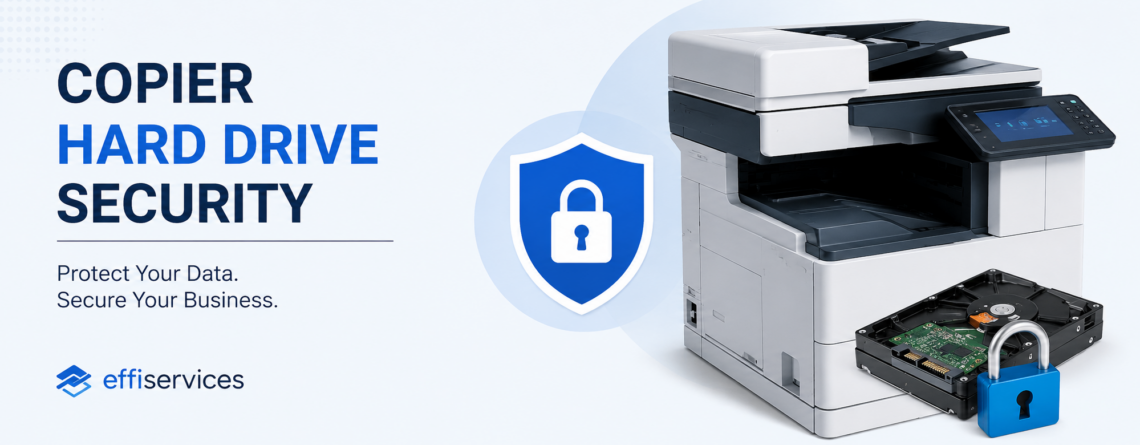
Every office copier built in the last twenty years is a computer with a hard drive inside it. That drive keeps an image of what the machine has copied, scanned, printed, and faxed. Most offices in Orange County never think about it until the lease ends and the machine goes back on a truck, with several years of documents still sitting on it. This guide explains what your copier actually stores, what California law expects you to do about it, how to switch on the protections your machine already has, and exactly what to do before a copier leaves your building.
What your copier is actually storing
When you press copy, the machine does not send paper straight through. It scans the page to an image, writes that image to an internal drive, then prints from it. Unless the drive is set to overwrite that data, the image stays there after the job finishes.
Over a normal lease term, that adds up to:
- Copies and scans — payroll, tax records, contracts, patient charts, anything that touched the glass
- Print jobs — documents sent from any networked computer
- Faxes — both sent and received
- Scan-to-email address books — internal names and email addresses
- Stored user boxes — documents staff deliberately saved on the machine
- Network credentials — the account the copier uses to reach your file server
That last one matters more than most people realise. A copier configured to scan to a shared folder holds a working set of credentials for that folder. Whoever owns the machine next owns those too.
The $1.2 million photocopier mistake
This is not a theoretical risk, and there is a well-documented case that made the point.
In 2010, CBS News bought a used photocopier from a warehouse and found the hard drive still loaded with confidential medical records. The machine had been leased and returned by Affinity Health Plan. When the Office for Civil Rights finished investigating, Affinity had impermissibly disclosed the protected health information of up to 344,579 people by returning photocopiers to its leasing agent without erasing the drives.
The settlement, announced in August 2013, was $1,215,780. The regulator’s finding is the part worth reading twice: Affinity had failed to include the data on copier hard drives in its risk analysis at all. The copiers were simply never considered to be storage devices.
The full case summary is published by the HHS Office for Civil Rights, and the FTC maintains its own business guide to copier data security. Both make the same point: the organisation that leased the machine is responsible for what leaves on it, not the leasing company.
What California adds on top of HIPAA
Most articles on this topic stop at HIPAA. If you operate in Orange County, there is a second layer that applies to you and it is stricter in some respects.
The California Confidentiality of Medical Information Act (CMIA) requires any provider, health plan, or contractor that stores, abandons, destroys, or disposes of medical records to do so in a way that preserves confidentiality. A copier hard drive going back to a leasing agent unwiped is exactly the scenario that language covers.
CMIA penalties are assessed per violation:
| Type of disclosure | Penalty per violation |
|---|---|
| Negligent | Up to $2,500 |
| Knowing and willful | Up to $25,000 |
| Knowing or willful, for financial gain | Up to $250,000, plus disgorgement of profit |
Because these are per-violation figures and a single copier drive can hold thousands of records, the arithmetic gets uncomfortable quickly. And CMIA is not limited to hospitals — it reaches employers and contractors handling medical information, which pulls in a lot of ordinary Orange County businesses that would not describe themselves as healthcare.
Law firms, accountants, escrow and title offices, and schools face parallel confidentiality duties under their own rules. The common thread is that a copier is treated as a records system, whether or not you thought of it that way.
Your copier already has the protections — they are usually switched off
Here is the part that frustrates technicians. Nearly every commercial machine ships with data protection built in. On most of them, it is disabled by default and nobody ever turns it on.
Three features matter:
Drive encryption scrambles what is written to the disk, so a drive pulled out of the chassis is unreadable elsewhere.
Job overwrite writes over each job’s temporary data as soon as the job completes, rather than leaving the image until the space is reused.
Full drive sanitizing overwrites the entire disk on demand. This is the one you run before a machine leaves.
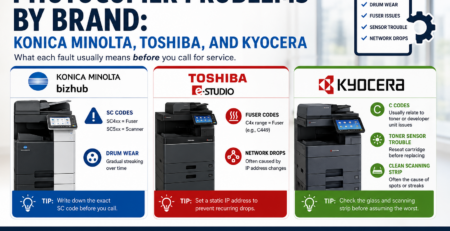
Konica Minolta bizhub
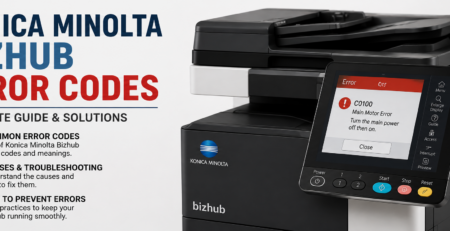
bizhub devices include Automatic Job Overwrite, HDD Encryption, an HDD Lock Password, automatic deletion of stored user box jobs, and HDD Overwrite (HDD Sanitizing) with a choice of overwrite methods. Look under the administrator settings for [Overwrite All Data] and [HDD Lock Password]. Note that the default setting for each of these functions is off — an administrator has to enable them deliberately.
Kyocera
Kyocera uses a Data Security Kit on supported MFPs and printers. It encrypts data before it is written to the hard disk and offers two overwrite methods, in manual and automatic modes, that can be switched at any time while a hard disk is installed.
Ricoh
Ricoh’s DataOverwriteSecurity System (DOSS) destroys temporary data by overwriting it with random sequences of ones and zeros. It runs each time a job is executed, so images do not accumulate between service visits.
Toshiba
Toshiba builds self-encrypting drives into MFP-class hardware. These invalidate protected data automatically when the drive is connected to an unrecognised host, which is aimed squarely at the drive-pulled-from-a-returned-machine scenario.
Other brands
Sharp, Canon, HP, and Lexmark all offer equivalent functions under different names — look for wording like image overwrite, data security kit, end-of-lease erase, or disk wipe in the administrator menu. If you cannot find it, the model’s security white paper will name the feature. Ask your service provider to confirm which of these are switched on across your fleet rather than assuming, or have us run a copier and print security review across the whole fleet.
Not sure what your copiers are storing?
Effiservice technicians service Konica Minolta, Kyocera, Ricoh, Toshiba, Sharp, and Canon machines across Orange County. Our copier and print security service audits your fleet, switches on encryption and overwrite where it is available, and sanitizes drives properly before a lease ends.
Prefer to book online? Visit our Orange County copier repair page or contact us here.
The end-of-lease checklist
The riskiest day in a copier’s life is the day it leaves. Work through this before the truck arrives, not after.
- Find out whether there is a drive at all. Some low-volume machines use flash memory instead. Check the model’s specification rather than guessing.
- Run a full sanitize, not a factory reset. A factory reset clears settings and address books. It does not necessarily overwrite stored images. These are different operations and the menu wording rarely makes that clear.
- Clear the address book and scan destinations separately. Saved email addresses and folder paths often survive a job-data wipe.
- Remove stored network credentials. Delete the service account the copier used, or change its password once the machine is gone.
- Get it in writing. Request a certificate of data sanitization naming the machine, its serial number, the method used, and the date.
- Consider keeping the drive. On many leases you can negotiate to retain the hard drive at end of term and hand back the machine without it.
That last point is worth raising before you sign, not at the end. Ask whether the lease lets you keep the drive, and who is contractually responsible for sanitization. If the answer is vague, get it amended. Our five-year cost breakdown of buying, leasing, and renting covers the other clauses worth checking at signing, and our Orange County copier leasing page sets out how we handle it.
What if a machine already went back?
If you have returned copiers without sanitizing them, do not assume the data is gone.
Start by listing which machines left, when, and to whom. Contact the leasing agent and ask whether the units are still in their possession and whether the drives were wiped on receipt — some do this as standard, many do not. If a machine is still recoverable, ask for the drive back or for written confirmation of sanitization.
Then treat it as a risk assessment question rather than an IT chore. The Affinity finding turned on a failure to consider copiers as storage devices in the first place. Adding them to your asset inventory now is the step that stops the same gap repeating with the next fleet.
Build it into how the fleet is managed
The offices that handle this well do not rely on remembering it once every five years. They set encryption and job overwrite as standard at installation, keep copiers in the hardware inventory alongside servers and laptops, and make sanitization a required step in the return process with a certificate attached.
That is ordinary fleet hygiene, and it is what our copier and print security service and a managed print programme are meant to cover between them. Whether you run it in-house or hand it over, the requirement is the same: know which machines hold data, know that the protections are switched on, and be able to prove a drive was cleared.
Copier Hard Drive Security FAQ
Do all office copiers have a hard drive?
Most commercial multifunction copiers made in the last twenty years do. Smaller desktop units may use flash memory instead, which stores less but is not automatically safe either. Check the specification for your exact model rather than assuming, because two machines in the same family can differ.
What is actually stored on a copier hard drive?
Images of documents the machine has copied, scanned, printed, or faxed, along with scan-to-email address books, stored user box documents, and often the network credentials the copier uses to reach shared folders. Unless overwrite is enabled, those images remain after the job finishes.
Does a factory reset wipe a copier hard drive?
Not reliably. A factory reset clears configuration settings and address books but does not necessarily overwrite stored document images. Sanitizing the drive is a separate function, often listed under administrator security settings with wording such as overwrite all data or HDD sanitizing.
Who is responsible for wiping a leased copier, us or the leasing company?
In the Affinity Health Plan case the regulator held the organisation that leased the machines responsible for the data that left on them. Unless your lease explicitly assigns sanitization to the provider and you hold written confirmation it was done, assume the duty is yours.
What is a certificate of data sanitization?
A written record confirming that a specific machine’s drive was cleared. It should name the device and serial number, the sanitization method used, the date, and who performed it. Request one whenever a copier leaves your premises, whether it is returned, sold, or scrapped.
Can I keep the hard drive when I return a leased copier?
Often yes, but it has to be agreed. Many leases allow you to retain the drive at end of term and return the machine without it. Raise it before signing rather than at the end of the term, when your negotiating position is weaker.
Does this apply to my business if we are not a medical practice?
Yes. HIPAA applies to healthcare, but California’s Confidentiality of Medical Information Act also reaches employers and contractors handling medical information, and law firms, accountants, escrow offices, and schools carry their own confidentiality duties. Any copier that has handled payroll, contracts, or client records holds sensitive data.
How do I turn on encryption and overwrite on my copier?
The settings sit in the administrator menu and the wording varies by brand — HDD encryption and overwrite all data on Konica Minolta bizhub, a Data Security Kit on Kyocera, DataOverwriteSecurity System on Ricoh. On most machines these are switched off by default. If you do not have the administrator password, your service provider can enable them.
Does enabling overwrite slow the copier down?
Job overwrite adds a small amount of processing after each job. On most machines the effect is not noticeable in normal office use. On very high-volume production devices it is worth discussing the overwrite method with your technician, since some methods make multiple passes.
Can Effiservice check our existing copiers?
Yes. We service Konica Minolta, Kyocera, Ricoh, Toshiba, Sharp, and Canon equipment across Orange County and can audit which machines hold data, enable encryption and overwrite where supported, and sanitize drives before a lease ends. Call 714-331-5509 or use our contact page.