Copier Preventive Maintenance: How Often and Why
Nearly every copier we get called out to was giving warning signs for weeks. A jam that cleared itself, a faint streak somebody worked around, a noise that started and then stopped being noticed. By the time the machine locks with a service code, the cheap fix has usually become an expensive one. Preventive maintenance is simply the work that happens before that point, and this guide covers what it involves, how often it is actually needed, what your own staff can do between visits, and whether a maintenance plan is worth paying for.
Preventive maintenance is not a repair call
The difference matters, because offices often think they are covered when they are not.
A repair call is reactive. Something has failed, the machine has stopped, and a technician comes out to put it right. You are paying for the fault and for the downtime around it.
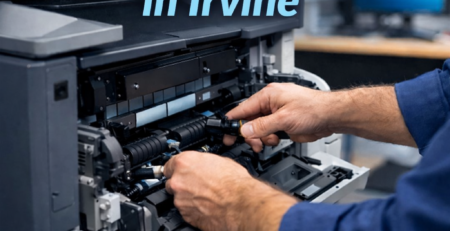
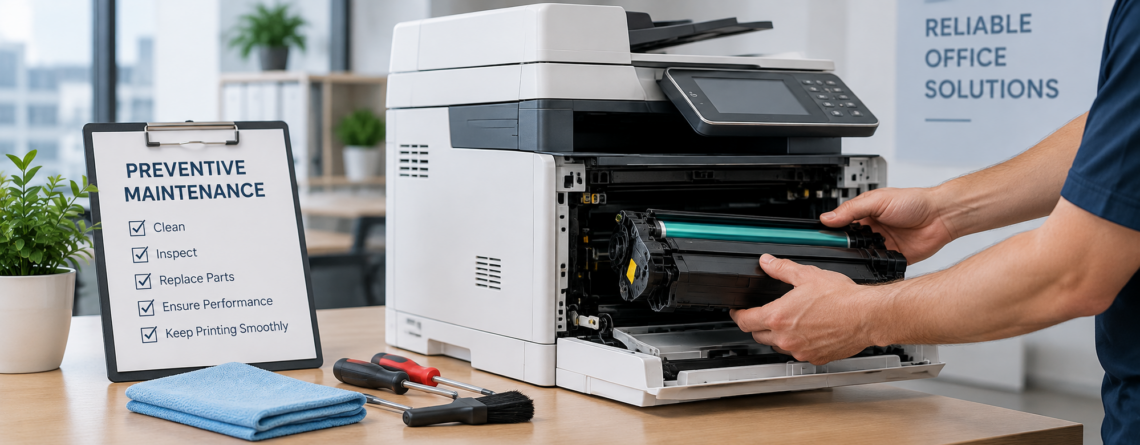
Preventive maintenance is scheduled. Nothing has broken. A technician cleans the paper path, inspects the wear parts, checks the fuser and rollers, updates firmware, calibrates, and replaces the components that are close to failing rather than the ones that already have.
The point is not that machines never break afterwards. It is that most of what breaks a copier is gradual, and gradual problems are cheap to fix early and expensive to fix late.
How often, based on volume rather than the calendar
The common answer is twice a year, and for an average office that is about right. But the calendar is a proxy for what actually matters, which is how many pages have gone through the machine.
| Monthly volume | Sensible service interval |
|---|---|
| Under 1,000 pages | Once a year is usually enough |
| 1,000 to 5,000 pages | Twice a year |
| 5,000 to 20,000 pages | Every three to four months |
| Above 20,000 pages | Quarterly or on a page-count trigger |
Your machine already knows the number. Every commercial copier holds a lifetime meter reading and most will print a usage report from the control panel, so you can size this properly instead of guessing.
Two things shorten the interval regardless of volume. Dusty environments, warehouses and workshops in particular, load the paper path far faster than an office does. So does heavy use of heavier stock, card, or labels, which puts more strain on the feed mechanism than plain paper.
What a technician actually does on a visit
A proper preventive visit is not a look and a wipe. It should cover:
- Paper path cleaning — removing accumulated toner dust and paper fibre, which is what causes most jams and a good share of print-quality complaints
- Feed roller and separation pad inspection — the parts that wear first and cause misfeeds
- Fuser check — temperature, wear on the sleeve or roller, and the condition of the exit path
- Drum and developer inspection for wear, contamination, or early streaking
- Optics and scanner glass, including the narrow strip the document feeder uses, which causes the classic line down every copy
- Firmware updates, which matter for reliability and for security
- Calibration and test prints to confirm density and registration
- Meter reading and error log review — the log usually shows what has been happening between visits
That last item is the one offices underrate. The error log tells a technician which faults have been recurring and clearing themselves, which is exactly the early warning that never reaches anyone in the office.
What your own staff can do between visits
A good share of service calls are avoidable without any technical skill. Split it this way.
Weekly, by whoever is nearest:
- Wipe the scanner glass and the document feeder strip with a dry lint-free cloth
- Check the output and bypass trays are clear
- Fan and square the paper before loading, and load to the guides rather than jamming the stack in
Monthly:
- Vacuum around and behind the machine, since dust gets pulled inside
- Check paper is stored flat and dry, not on a floor or beside a door
- Note anything odd, even if it cleared, so it can be reported at the next visit
Never, without a technician:
- Pulling paper backwards out of the fuser, which damages the sleeve
- Cleaning the drum surface with anything
- Using compressed air inside the machine, which drives toner further in
- Clearing a service-call code by repeated power cycling when the fault keeps returning
Damp paper deserves a special mention because it is the single most common cause of jams we see, and it is free to fix. Paper that has sat in a humid store room or near a door curls slightly, and a curled sheet does not feed cleanly. Our guide to common copier problems covers the rest of the fixes that need no technician.
When was your copier last serviced properly?
Effiservice provides preventive maintenance and on-site repair across Orange County, on Konica Minolta, Kyocera, Ricoh, Toshiba, Sharp, and Canon equipment, including machines bought or leased elsewhere. We will read the meters, check the wear parts, and tell you what actually needs doing.
Prefer to book online? Visit our Orange County copier repair page or contact us here.
The arithmetic
This is where the argument is usually made badly, so here are the actual numbers.
A single copier repair typically runs $350 to $800 in parts and labour without a service contract. Before parts, you are usually paying a trip or diagnostic fee of $40 to $90 and labour at $75 to $150 an hour. The expensive failures are fuser and drum replacements, commonly $200 to $500. Our breakdown of copier repair costs sets those out fault by fault.
Against that, a maintenance plan typically runs $100 to $300 a month depending on volume and coverage.
The comparison people make is plan cost against repair cost, and on that basis a plan looks marginal for a low-use office. But that comparison misses two things.
The first is that preventive work changes which repairs happen at all. A worn feed roller caught early is a cheap part. Left alone, it causes repeated jams, and paper pulled through a misfeeding path is how fusers get damaged. The $50 to $100 roller job becomes the $200 to $500 fuser job.
The second is downtime. A stopped copier in a busy office is not a $500 problem, it is a $500 problem plus however many people cannot send what they need to send that afternoon. That cost never appears on any invoice, which is exactly why it gets left out of the comparison.
When a maintenance plan is worth it, and when it is not
We would rather be straight about this.
A plan generally pays for itself once an office is printing more than roughly 2,000 pages a month, or where the copier is genuinely business-critical regardless of volume. At that level you are likely to need at least one significant repair a year, and predictable monthly cost beats an unpredictable annual one.
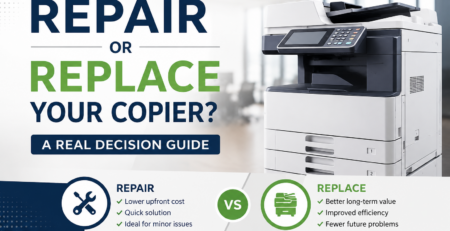
It is usually not worth it if you run one low-volume desktop machine, print a few hundred pages a month, and could work around the copier being down for two days. In that case, scheduled maintenance once a year and paying for repairs when they happen is the cheaper route. If the machine is also getting old, our guide on repairing versus replacing a copier is the more useful question to answer first.
If you run several machines rather than one, the question changes again, and a managed print programme usually covers maintenance across the fleet more economically than separate plans per device.
What to check before signing a maintenance agreement
- What counts as covered. Parts and labour, or labour only? Are consumables such as toner included, and are drums and fusers treated as consumables or as parts?
- How many preventive visits are included per year, as distinct from call-outs.
- Response time, and whether it is a commitment or an aspiration. Ask what happens when it is missed.
- Escalation. Many agreements raise the rate annually, commonly by around five to ten percent. It is negotiable, and easier to cap before signing than at renewal.
- Whether it is tied to the lease. Service bundled into a lease payment is convenient but harder to compare and harder to leave.
- What is excluded — after-hours attendance, damage and misuse, network work, and relocation are the usual ones.
Signs your machine has been under-maintained
If several of these are true, the machine is overdue rather than faulty:
- Jams that cleared themselves and were never reported
- A faint line or streak people have started working around
- Print density that has drifted, so older documents look different from new ones
- The machine sounds different than it used to, particularly during warm-up
- Toner cartridges seeming to run out sooner than they used to
- Nobody in the office can say when it was last serviced
That last one is the most reliable indicator of all. If nobody knows, it has been too long.
We work throughout Orange County, including Irvine, Anaheim, Santa Ana, Huntington Beach, and Garden Grove, and we service mixed brand fleets. If it has been more than a year, a single visit will usually tell you whether you have been lucky or whether something is already wearing.
Copier Preventive Maintenance FAQ
How often should an office copier be serviced?
Twice a year suits most offices, but volume matters more than the calendar. Under 1,000 pages a month, annually is usually enough. Between 1,000 and 5,000, twice a year. Above 5,000, every three to four months, and heavy users should schedule on page count rather than dates. Dusty environments and heavy card stock shorten the interval.
What is the difference between preventive maintenance and a repair call?
A repair call is reactive, after something has already failed and stopped the machine. Preventive maintenance is scheduled while the machine is still working, and covers cleaning, inspection of wear parts, firmware updates, calibration, and replacing components that are close to failing rather than ones that already have.
What does a technician do during a preventive visit?
Cleans the paper path, inspects feed rollers and separation pads, checks the fuser, inspects the drum and developer, cleans the optics and scanner glass including the document feeder strip, updates firmware, calibrates and runs test prints, and reviews the meter reading and error log to see which faults have been recurring between visits.
Is a copier maintenance plan worth the money?
Generally yes above roughly 2,000 pages a month, or where the copier is business-critical at any volume. Plans typically run $100 to $300 a month, against single repairs of $350 to $800 without a contract. Below that volume, annual servicing plus pay-as-you-go repairs is usually cheaper.
What can our staff do between service visits?
Weekly, wipe the scanner glass and document feeder strip with a dry lint-free cloth, keep trays clear, and fan and square paper before loading. Monthly, vacuum around the machine and check paper is stored flat and dry. Report anything odd even if it cleared on its own, because that is what a technician needs to know.
What should we never do ourselves?
Do not pull paper backwards out of the fuser, do not clean the drum surface, do not use compressed air inside the machine, and do not keep power cycling to clear a service-call code that keeps returning. Each of those turns a small job into a larger one.
Why does our copier keep jamming?
Most repeat jams come down to worn feed rollers or a separation pad losing grip, misaligned tray guides, or damp or curled paper. Damp paper is the most common and the cheapest to fix. If jams continue after the paper and guides have been ruled out, the feed parts are worn and need replacing.
Does preventive maintenance cover toner?
It depends on the agreement. Some plans include consumables, some cover parts and labour only, and some treat drums and fusers as consumables rather than parts. Ask specifically how those three items are classified, because that is where two similar-looking quotes usually differ.
Do maintenance agreement prices go up?
Often yes. Many agreements include an annual escalation, commonly around five to ten percent. It is negotiable, so ask to cap or remove it before signing rather than discovering it at renewal.
Can you service a copier you did not supply?
Yes. We service equipment bought or leased elsewhere and work on mixed brand fleets, including Konica Minolta, Kyocera, Ricoh, Toshiba, Sharp, and Canon. You do not need to change suppliers to have a machine maintained.