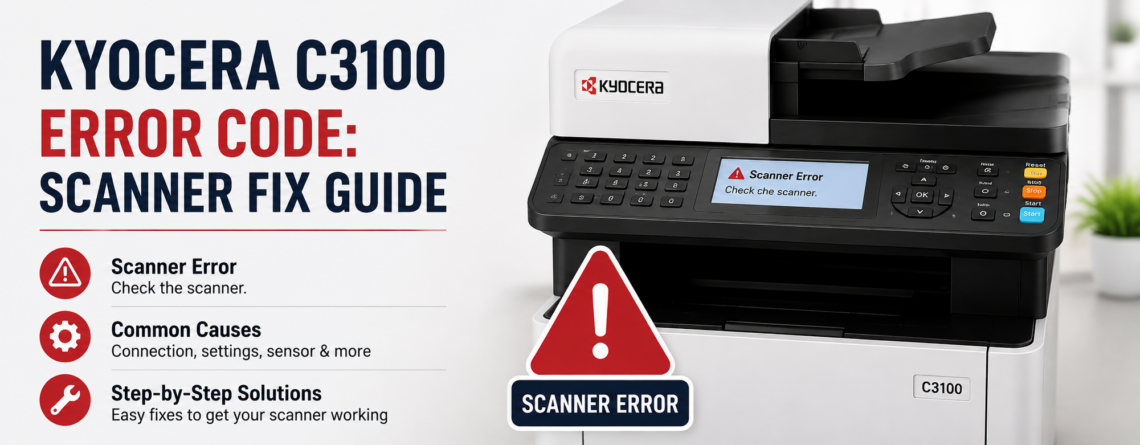
Kyocera C3100 Error Code: Scanner Fix Guide
If your Kyocera copier has stopped and is showing a C3100 error, often right after it was moved or first thing in the morning, the machine is telling you that its scanner did not reach the correct home position. Many people search for this as a “laser scanner” fault, but on Kyocera copiers C3100 points to the scanner carriage, the part that travels under the glass to read your originals.
The good news is that one of the most common causes takes two minutes to fix and costs nothing. Here is what the code means, what causes it, and the safe steps to try before you call for service.
What the Kyocera C3100 error means
C3100 is a scanner home-position error. When you power on the copier or start a copy from the glass, the scanner carriage moves and a sensor confirms it reached its home position. If that confirmation does not arrive in time, the copier stops and shows C3100 to protect itself. It is a hardware self-check, not a paper jam or a toner message.
Common causes of a C3100 error
- The scanner transport lock is still engaged. This is the number one cause after a copier has been moved. Kyocera copiers have a lock that holds the scanner in place during transport, and if it was not released after delivery, the scanner cannot move and throws C3100.
- Something is blocking the scanner path. Debris, a dropped staple, or a foreign object on the scanner rails can stop the carriage.
- A loose or dirty connector between the scanner motor or home sensor and the main board.
- A failing scanner home-position sensor or scanner motor.
- An engine board fault sending or reading the signal incorrectly.
How to fix a Kyocera C3100 error
- Power the copier off and back on. Turn it off at the main switch, wait 60 seconds, then power on. A one-time glitch often clears here.
- Check the scanner transport lock. If the machine was recently moved or is newly installed, look for the scanner lock, usually a lever or switch near the left side or under the platen. Set it to the unlocked position. This resolves a large share of C3100 errors.
- Look for obstructions. Lift the document cover and make sure nothing is sitting on or under the glass path that would block the scanner carriage.
- Do not force the carriage or open the scanner assembly. The scanner unit is a precision optical part. Reseating internal connectors or moving the carriage by hand without training can cause more damage.
When to call a technician
If C3100 returns after a proper power cycle and the transport lock is confirmed unlocked, the fault is almost certainly the home-position sensor, the scanner motor, a damaged connector, or the engine board. These need a trained Kyocera technician to test and replace the failed part. It is usually a same-visit repair, and diagnosing it correctly is far cheaper than replacing the wrong component.
Kyocera C3100 will not clear? Get it fixed today.
Effiservice services Kyocera copiers and printers across Orange County, with on-site help in Irvine and nearby cities. Genuine parts, experienced technicians, and a fast response. Call today at 714-331-5509.
Related reading: Most Common Kyocera Printer Error Codes and How to Fix Them.
Related Guides
- Most Common Kyocera Printer Error Codes and How to Fix Them
- Photocopier Problems by Brand: What Konica Minolta, Toshiba, and Kyocera Owners See Most
- Common Copier Problems and How to Fix Them
Frequently asked questions
What does the C3100 error mean on a Kyocera copier?
It is a scanner home-position error. The scanner carriage did not reach its home position when the copier powered on or started a copy.
Is C3100 the laser scanner or the document scanner?
On Kyocera copiers it refers to the scanner carriage that reads originals, even though it is often searched as a laser scanner fault.
Why did C3100 appear right after moving my copier?
The scanner transport lock was most likely left engaged. Releasing it usually clears the error.
How do I unlock the scanner on a Kyocera copier?
Look for the scanner lock lever or switch near the left side or under the glass and set it to unlocked. Check your model’s guide for the exact location.
Can I clear a C3100 error myself?
Often yes. A proper power cycle and confirming the transport lock is unlocked resolves many cases.
What if C3100 keeps coming back?
A repeating C3100 points to the home-position sensor, scanner motor, a connector, or the engine board, which need a technician.
Will C3100 stop me from printing too?
It mainly affects copying and scanning from the glass. Some machines will halt to protect the unit, so it is best to resolve it promptly.
Is a C3100 error expensive to repair?
If it is the transport lock or an obstruction, it costs nothing. If a sensor or motor has failed, a technician can quote after testing.
Can debris cause a C3100 error?
Yes. A dropped staple or foreign object on the scanner rails can block the carriage and trigger the code.
Which Kyocera models show the C3100 code?
It appears across many Kyocera copiers and MFPs, including ECOSYS and TASKalfa series, since they share the same scanner home-position check.