HIPAA and Your Office Copier: An Orange County Guide
If your practice copies, scans, or faxes patient records, the machine doing it is a records system. It keeps images of what passes through it, it holds the addresses and credentials it uses to send scans, and it usually logs who did what. HIPAA does not exempt it because it looks like office furniture. This guide covers where protected health information actually sits on a copier, what the Security Rule expects you to do about it, whether you need a Business Associate Agreement with your copier vendor, and what California adds on top for Orange County practices.
There is no such thing as a HIPAA compliant copier
This is the first thing to get straight, because a good deal of marketing depends on you not knowing it.
No copier is HIPAA compliant out of the box, and no manufacturer can sell you compliance. HIPAA compliance is a property of your practice, not your hardware. It comes from a documented risk analysis, the safeguards you put in place, the policies your staff follow, and the agreements you hold with vendors.
What a copier can be is capable. Almost every commercial machine sold in the last fifteen years has encryption, overwrite, and user authentication built in. On most of them those functions are switched off by default and nobody ever turns them on. A capable machine with everything disabled offers you nothing at an audit.
Where PHI actually lives on your copier
Most practices think of the hard drive and stop there. The drive matters, and we cover it in detail in our guide to copier hard drive security, but it is one of six places PHI accumulates.
| Location | What it holds |
|---|---|
| Internal drive | Images of everything copied, scanned, printed, or faxed, retained unless overwrite is enabled |
| Fax logs and memory | Received faxes held in memory, plus transmission logs naming sender, recipient, and time |
| Scan-to-email history | Sent items, attachments, and the address book of internal and external recipients |
| User boxes | Documents staff deliberately saved on the machine, often years old and forgotten |
| Stored credentials | The service account the copier uses to reach your file server or EHR scan folder |
| Audit logs | A record of who used the device and for what, which is useful evidence and also PHI-adjacent |
User boxes are the one that surprises people. A staff member scans a chart, saves it to a box on the machine so they can print it again later, and it stays there. We routinely find boxes on service visits holding documents from previous years, sometimes from staff who left long ago.
The requirement most practices miss: risk analysis
The Security Rule requires a risk analysis covering all electronic protected health information your practice creates, receives, maintains, or transmits. Not some of it. All of it.
This is where copiers get missed, and it is not a hypothetical failure. When a health plan returned leased photocopiers without erasing the drives, the protected health information of up to 344,579 people went with them, and the settlement was $1,215,780. The regulator’s finding is worth reading closely: the organisation had failed to include the electronic PHI stored on copier hard drives in its risk analysis at all. The copiers had simply never been counted as storage.
So the practical question is not whether your copier is secure. It is whether your copier appears anywhere in your risk analysis, your asset inventory, and your device and media controls policy. If it does not, that is the gap to close first, before any settings are changed.
Do you need a BAA with your copier vendor?
Usually yes, and this is the question we get asked least and should be asked most.
A business associate is a person or entity that creates, receives, maintains, or transmits PHI on behalf of a covered entity. A vendor whose technicians service a machine that stores PHI, who collects a device at end of lease, or who administers your fleet remotely, is generally handling PHI on your behalf. That relationship needs a Business Associate Agreement.
Two things are worth checking specifically:
- The leasing company as well as the servicing dealer. These are frequently different companies. The lessor takes physical possession of the machine, and the drive inside it, at end of term.
- Subcontractors. A business associate must hold agreements with its own subcontractors who handle PHI. If your dealer subcontracts logistics or drive destruction, that chain matters.
Some vendors will tell you a BAA is unnecessary because they are a mere conduit. That exception is narrow and is generally understood to cover transmission only, not storage. A copier stores. If a vendor declines to sign, that answer itself is useful information about the vendor.
We are not your compliance advisor and this is not legal advice. What we can tell you is which of your machines hold data and what leaves the building on them, which is the factual half of the question your compliance advisor will ask.
What California adds on top of HIPAA
Almost every guide on this subject stops at HIPAA. If your practice is in Orange County, there is a second statute that applies to you directly.
The California Confidentiality of Medical Information Act requires a provider, health plan, or contractor that creates, maintains, preserves, stores, abandons, destroys, or disposes of medical records to do so in a manner that preserves confidentiality. A copier drive going back to a leasing agent unwiped sits squarely inside that wording, and CMIA penalties are assessed per violation.
| Type of disclosure | Penalty per violation |
|---|---|
| Negligent | Up to $2,500 |
| Knowing and willful | Up to $25,000 |
| Knowing or willful, for financial gain | Up to $250,000, plus disgorgement of profit |
Because these are per-violation figures and one drive can hold years of charts, the arithmetic escalates quickly. CMIA also reaches beyond clinical practices to employers and contractors handling medical information, which pulls in a good deal of ordinary Orange County business that would not describe itself as healthcare.
Not sure what your practice copiers are holding?
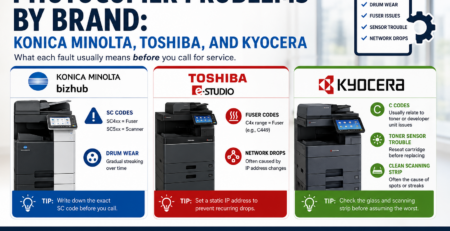
Effiservice services Konica Minolta, Kyocera, Ricoh, Toshiba, Sharp, and Canon equipment for medical and dental practices across Orange County. We can inventory what stores PHI, switch on encryption, overwrite, and authentication, and sanitize drives with written certification before a lease ends.
Prefer to book online? Visit our copier and print security page or contact us here.
The technical safeguards, brand by brand
The settings exist on your machine already. What defeats most practices is that every manufacturer calls them something different, so the person looking for them does not recognise them.
Konica Minolta bizhub
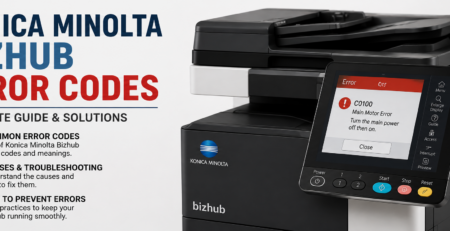
Look for HDD encryption, automatic job overwrite, an HDD lock password, automatic deletion of stored user box jobs, and HDD sanitizing with a choice of overwrite methods. In the administrator menu these appear as [Overwrite All Data] and [HDD Lock Password]. The default setting for each of these functions is off.
Kyocera
Kyocera supplies a Data Security Kit on supported MFPs and printers. It encrypts data before it is written to the hard disk and provides two overwrite methods, in manual and automatic modes, switchable while a disk is installed.
Ricoh
Ricoh’s DataOverwriteSecurity System overwrites temporary data with random sequences of ones and zeros as each job completes, so job images do not accumulate between service visits.
Toshiba
Toshiba builds self encrypting drives into MFP-class hardware, which invalidate protected data when the drive is connected to an unrecognised host.
Sharp, Canon, HP, and Lexmark
All offer equivalents under different names. Look for wording such as image overwrite, data security kit, end-of-lease erase, or disk wipe in the administrator menu, or check the model’s security white paper. If you cannot find it, ask your service provider to confirm rather than assuming the feature is absent.
Scan, fax, and paper: the parts people forget
Drive encryption gets the attention. These three cause more day-to-day exposure.
Scan-to-email sends PHI across a network. It should be encrypted in transit using TLS, and the destination list should be restricted so a chart cannot be sent to an arbitrary outside address by mistyping. Check what the machine does if TLS negotiation fails, because some models fall back to sending unencrypted rather than refusing.
Scan-to-folder uses a stored service account. Give it access to the scan destination only, not to the whole file server, and change the credential when a copier leaves.
Fax holds received documents in memory until they are printed or collected, and keeps transmission logs. If your fax line rings into a machine in a shared corridor, received PHI sits in an output tray until someone walks past.
Paper output remains the most common exposure in any practice. Secure print release, where a job only prints once the user authenticates at the device, removes it entirely and costs nothing to enable on most fleets.
End of lease, disposal, and replacement
The riskiest day in a practice copier’s life is the day it leaves. Before the machine is collected:
- Confirm whether the model holds a hard drive or uses flash memory, from the specification rather than assumption
- Run a full sanitize, not a factory reset, which clears settings and address books but does not necessarily overwrite stored images
- Clear user boxes, the address book, and scan destinations separately
- Remove or change the stored network credential
- Obtain a certificate of sanitization naming the device, serial number, method, and date, and keep it with your compliance records
- Check whether your lease permits you to retain the drive and return the machine without it
That last point is worth raising before signing rather than at the end of the term, when you have no leverage. Our five-year cost comparison of buying, leasing, and renting covers the other clauses worth reading, and our Orange County copier leasing page sets out how we handle end of term.
What an investigation actually asks for
It is easier to prepare for this than most practices assume, because the questions are predictable. If a device goes missing, a drive turns up somewhere it should not, or a patient complains, the requests tend to run in the same order.
- Show the risk analysis. Does it name copiers and MFPs, or only servers and workstations?
- Show the asset inventory. Which devices hold electronic PHI, where are they, and who administers them?
- Show the device and media controls policy. What is your documented procedure for disposal, reuse, and removal of hardware?
- Show the BAAs. Both the servicing dealer and the leasing company, and evidence they were current at the relevant time.
- Show what was done to the device that left. A certificate of sanitization naming the machine, serial number, method, and date.
- Show the access record. Who could use the device, and what the audit log holds.
Notice how much of that is paperwork rather than configuration. A practice with perfectly configured machines and no records is in a weaker position than one with adequate machines and a documented, followed procedure. Both are worth having, but only one of them is usually missing.
Dental practices have one extra wrinkle
Dental offices tend to run smaller fleets, often a single multifunction device shared across reception and operatories, and that changes the risk profile rather than reducing it.
With one machine doing everything, the output tray is shared by the front desk and clinical staff, which makes secure print release more valuable, not less. Imaging and referral workflows push scans out to specialists by email more often than in general practice, so scan destinations deserve a closer look. And smaller practices are far more likely to still be running the administrator default password, because there was never an IT project during which someone changed it.
The compliance obligations do not scale down with practice size. A two-chair office and a hospital face the same requirement to include the copier in a risk analysis and to hold a BAA with the vendor who takes it away.
A practical starting checklist
For a small practice with no dedicated IT staff, this is the order that gets the most risk removed for the least effort:
- Add every copier, printer, and MFP to your asset inventory and your risk analysis
- Change the administrator password on each device from the factory default
- Enable drive encryption and automatic job overwrite where the model supports them
- Turn on user authentication and secure print release so jobs tie to a person and do not sit in the tray
- Review scan destinations and the account used for scan-to-folder
- Empty and then disable user boxes unless you have a documented reason to keep them
- Confirm you hold a BAA with both your servicing dealer and your leasing company
- Write down what happens to a machine at end of lease, before the next one is due back
None of this requires new equipment in most practices. It requires someone to go through the fleet once, deliberately, and record what was found and changed. That record is as much a part of compliance as the settings themselves.
HIPAA and Office Copiers FAQ
Is there such a thing as a HIPAA compliant copier?
No. HIPAA compliance is a property of your practice rather than of any device. A copier can be capable of supporting compliance through encryption, overwrite, and authentication, but compliance itself comes from your risk analysis, safeguards, policies, and vendor agreements. No manufacturer can sell you compliance in a box.
Where does PHI actually sit on an office copier?
In more places than the hard drive alone. Images of copied, scanned, printed, and faxed documents on internal storage, received faxes held in memory, fax transmission logs, scan-to-email history and address books, documents staff saved into user boxes, the stored credential the copier uses to reach your file server, and device audit logs.
Do we need a Business Associate Agreement with our copier vendor?
Usually yes. A vendor that services, administers, or collects a machine holding PHI is generally creating, receiving, maintaining, or transmitting PHI on your behalf. Check the leasing company as well as the servicing dealer, since they are often different companies and the lessor takes possession of the drive at end of term. This is not legal advice, so confirm scope with your compliance advisor.
What is the most commonly missed HIPAA requirement involving copiers?
Including them in the risk analysis. The Security Rule requires the analysis to cover all electronic PHI your practice creates, receives, maintains, or transmits. In the well known photocopier enforcement case, the finding turned on the organisation having failed to include data on copier hard drives in its risk analysis at all.
Does a factory reset make a copier safe to return?
No. A factory reset clears configuration and address books but does not necessarily overwrite stored document images. Sanitizing the drive is a separate function, usually listed in administrator settings under wording such as overwrite all data or HDD sanitizing. Ask for a certificate recording what was done.
Does California law add anything beyond HIPAA?
Yes. The California Confidentiality of Medical Information Act requires medical records to be stored, destroyed, and disposed of in a way that preserves confidentiality, which covers a copier drive leaving your premises. Penalties are assessed per violation, from up to $2,500 for negligent disclosure to substantially more where disclosure is knowing or willful.
Is scan-to-email safe for patient records?
Only when configured for it. The connection should be encrypted in transit using TLS, destinations should be restricted so charts cannot be sent to arbitrary outside addresses, and you should know what the machine does when TLS negotiation fails, because some models fall back to sending unencrypted rather than refusing to send.
What are user boxes and why do they matter?
User boxes are storage areas on the copier where staff can deliberately save documents to reprint later. They are easy to forget, and we routinely find boxes holding documents from previous years, sometimes belonging to staff who have left. Empty them, and disable the feature unless you have a documented reason to keep it.
Do we have to replace older copiers to be compliant?
Not usually. Most commercial machines from the last fifteen years already support encryption, overwrite, and authentication, and in the majority of practices the work is configuration rather than purchase. Where a device genuinely cannot support these functions, we will tell you plainly rather than securing around it.
Can Effiservice review the copiers in our practice?
Yes. We service Konica Minolta, Kyocera, Ricoh, Toshiba, Sharp, and Canon equipment for medical and dental practices across Orange County, including machines bought or leased elsewhere. We can inventory what holds PHI, enable the available safeguards, and sanitize drives with written certification before a lease ends. Call 714-331-5509.