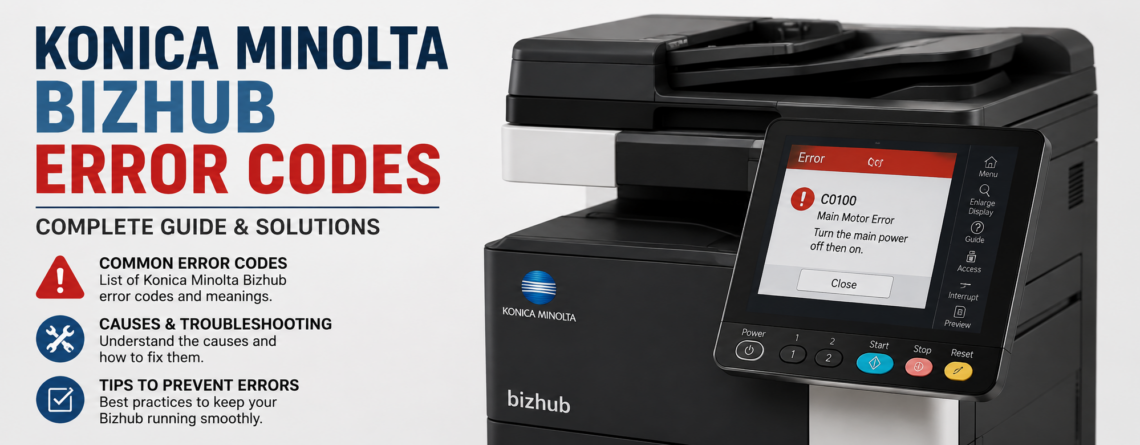
Konica Minolta bizhub Error Codes (C-Codes): What They Mean and How to Fix Them
When a Konica Minolta bizhub stops mid-job and shows a code like C-2557 or C-3101, work grinds to a halt. Those C-codes are the machine’s way of telling you exactly what is wrong, and once you know how to read them you can often get printing again in minutes. This guide explains what Konica Minolta bizhub error codes mean, lists the most common ones with their likely cause, shows you how to clear a service-call error, and makes clear which faults are safe to fix yourself and which need a technician.
What Konica Minolta bizhub error codes mean
Every bizhub error code has a letter and a number. The letter tells you the type of fault and the number identifies the part involved:
- C-codes are service-call codes. The machine has found a hardware fault and locked itself so it does not damage anything. These are the codes people search for most, and the ones this guide focuses on.
- J-codes are paper jams, with the number pointing to the tray, path, or unit where the sheet stopped.
- P-codes and SC-codes cover other internal problems such as process control or sensor faults.
The number that follows groups the fault by system. Roughly, the C-0000 range is paper feeding, C-2000 is drum, developer, and toner, C-3000 is the fuser, C-4000 is the laser and write unit, C-6000 is the scanner, and C-D and C-E cover memory, hard drive, and the controller board. Codes can vary slightly between models, so always read the exact code on your panel and check it against your machine’s manual.
The most common bizhub error codes and how to fix them
Here is a quick-reference table of the codes we see most often on bizhub copiers, what each one points to, and whether it is usually a safe do-it-yourself fix or a job for a technician.
| Code | What it means | Likely cause | Fix |
|---|---|---|---|
| C-0202 to C-0211 | Paper feed / transport motor fault | Jam, worn roller, or feed motor | Often DIY |
| C-2152 | Drum motor failure | Drive motor or connection | Technician |
| C-2211 to C-2214 | Drum drive / rotation fault | PC drum drive or sensor | Technician |
| C-2557 | Imaging / developing unit error | Developer not reset after drum change | Technician |
| C-2558 / C-255C | Toner density / wrong toner | Incompatible or low-quality toner | Often DIY |
| C-2559 | Toner cartridge not detected | Cartridge not seated or faulty chip | DIY |
| C-3101 to C-3104 | Fusing temperature abnormality | Fuser over or under heating | Technician |
| C-3721 / C-3723 | Fusing heater lamp failure | Heater lamp or thermostat | Technician |
| C-3911 / C-3921 | Fusing drive motor failure | Fuser drive motor | Technician |
| C-4xxx (e.g. C-4551) | Laser / write unit fault | Polygon motor or laser diode | Technician |
| C-6700 / C-6750 | Scanner motor / exposure lamp | Scanner drive or lamp | Technician |
| C-D010 | Abnormal memory error | RAM or controller fault | Technician |
| C-E301 | HDD communication error | Failing drive or loose cable | Technician |
| C-E002 | Network / controller error | Controller or network fault | Technician |
Fuser errors (C-3101 to C-3104, C-3721, C-3911)
The C-3000 range is about the fuser, the hot unit that bonds toner to the page. C-3101 to C-3104 mean a fusing temperature abnormality, C-3721 points to the heater lamp, and C-3911 or C-3921 point to the fusing drive motor. Turn the machine off, let it cool for at least 10 minutes, and restart. If the code clears, it may have been a one-off. If it returns, stop. The fuser runs at high temperature and high voltage, and a failing fuser is not a safe DIY repair.
Toner, drum, and developer errors (C-2xxx)
The C-2000 range covers imaging. C-2557 is an imaging and developing unit error that usually appears when a drum is replaced without the developer being reset, so it comes back until the unit is serviced correctly. C-2558 and C-255C relate to toner density or the wrong toner being fitted, which is why we always recommend genuine Konica Minolta toner. C-2559 means a toner cartridge is not detected, so reseating a fresh cartridge often clears it. Drum drive codes such as C-2211 to C-2214 and C-2152 involve the drive motor and need a technician.
Paper feed errors (C-0202 to C-0211)
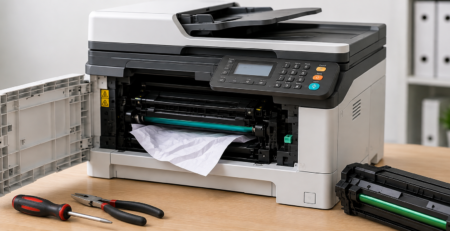
Feed and transport codes usually trace back to a jam, a worn pickup roller, or a tired feed motor. Open the machine, remove any trapped paper gently and completely, and check the rollers for wear or glazing. Reusing dusty or damp paper is a common trigger, so load fresh stock. If the feed code persists after the path is clear, the rollers or a sensor likely need replacing.
Laser, scanner, memory, and HDD errors (C-4xxx, C-6xxx, C-D, C-E)
Codes in the C-4000 range (laser and write unit), the C-6000 range (scanner motor and exposure lamp), C-D010 (memory), and C-E301 (hard drive) all point to internal electronics. A restart occasionally clears a one-off glitch, but a recurring code here means a component or board needs inspection. These are diagnostic and calibration jobs for a service technician.
How to clear a Konica Minolta bizhub error code
For most temporary faults, the fix is simple: turn the machine off, wait about 10 minutes, and turn it back on. That single step clears a surprising number of codes. Before you restart, clear any jams fully and reseat any consumable you changed recently.
Many bizhub models also have a built-in Trouble Reset, reached through service mode, that lifts the lockout from a C-code while keeping your page counters and meters intact. It is fine to use once, but it is important to understand what it does not do: it does not repair anything. If the fault is still physically present, the code returns, and continuing to run the machine can cause more damage. Treat a Trouble Reset as a one-time attempt, not a solution. Service mode itself exposes settings that can misconfigure the copier, so it is best left to a trained technician.
Which codes you can fix yourself, and when to call a technician
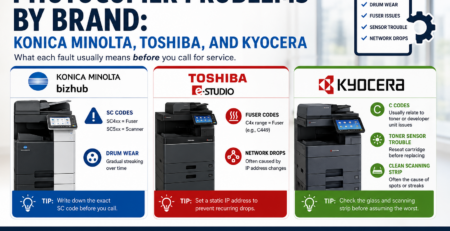
You can safely handle jams, a full waste-toner box, a toner cartridge that is not seated, and any code that clears with a power cycle. Leave fuser, laser, scanner, drive, memory, and hard-drive codes to a professional, because they involve heat, high voltage, or precise calibration. A good rule of thumb: if the same C-code comes straight back after a restart, or the code sits in the fuser or electronics range, it is time to call. For a sense of what a visit involves, see our guide to how much copier repair costs, and our overview of photocopier problems by brand.
Preventing bizhub error codes
Most service-call codes come from wear and dust, which means many are avoidable. Use genuine consumables, keep the copier in a clean and well-ventilated spot away from heat, replace toner and imaging units when the machine prompts you, and clear jams gently so you do not leave torn scraps behind. A preventive maintenance visit once or twice a year, tuned to your print volume, keeps the fuser, rollers, and sensors in good condition and heads off most codes before they lock the machine.
Bizhub locked with a service-call code?
Effiservice provides fast, on-site Konica Minolta bizhub repair across Orange County. Our certified technicians diagnose the exact code, carry genuine parts for single-visit fixes, and quote up front. Get your copier printing again today.
Prefer to book online? Visit our Orange County copier repair page or contact us here.
Konica Minolta bizhub Error Codes FAQ
What do the error codes on a Konica Minolta bizhub mean?
bizhub error codes point to a specific fault. A code beginning with C is a service-call code, which means the machine has detected a hardware problem and locked itself to prevent damage. Codes beginning with J are paper jams, and P or SC codes relate to other internal faults. The number after the letter identifies the exact component, such as the fuser, drum, or toner supply.
How do I clear an error code on a Konica Minolta bizhub?
Start by turning the machine off, waiting about 10 minutes so the fuser can cool, then turning it back on. This clears many temporary faults. If the same C-code returns, the underlying part still needs attention and a forced reset will not fix it. Clear paper jams fully and reseat any recently changed toner or imaging unit before you try again.
What is a Trouble Reset and is it safe to use?
A Trouble Reset is a built-in feature that lifts the lockout caused by a service-call code so the machine can print again, while keeping your counters and meters intact. It is safe as a one-time step, but it does not repair the fault. If the problem is a failing fuser, drive motor, or board, the code will come back and running the machine anyway can cause further damage. Use it once, and if the code returns, call a technician.
What does error code C-2557 mean on a Konica Minolta bizhub?
C-2557 is an imaging and developing unit error. It very often appears after a drum or imaging unit is replaced without the developer being replaced or reset at the same time, or when developer nears the end of its life. The fix is to service the imaging unit correctly and reset the developer, which is best handled by a technician to avoid a repeat fault.
What does a C-3101 or fusing error mean and how do I fix it?
The C-3100 range (C-3101 to C-3104) signals a fusing temperature abnormality, meaning the fuser is running too hot or not heating correctly. Codes like C-3721 (heater lamp) and C-3911 or C-3921 (fusing drive) are related. First, power the machine off, let it cool for 10 minutes, and restart. The fuser runs at high temperature and high voltage, so if the code persists it needs a technician, not a DIY repair.
What does error code C-E301 mean on a Konica Minolta bizhub?
C-E301 is a hard drive (HDD) communication error. It can be caused by a failing drive, a loose connection, or the controller board losing contact with the storage. A restart sometimes clears it if it was a one-off glitch, but a recurring C-E301 usually means the drive or board needs inspection and possible replacement by a service technician.
Why does my bizhub keep showing the same service call error after I restart it?
A C-code that returns immediately after a restart means the fault is still physically present. Restarting only clears the lockout, not the cause. Common culprits are a worn fuser, a failed drive motor, a sensor fault, or an imaging unit at end of life. At this point the machine needs a diagnostic visit so the failing part can be identified and replaced.
Can I fix a Konica Minolta bizhub error code myself?
Some you can. Paper jams, a full waste-toner box, a toner cartridge that is not seated, or a code cleared by a simple power cycle are all safe to handle yourself. Fusing, laser, scanner, drive, HDD, and board codes involve hot components, high voltage, or precise calibration and should be left to a technician. When in doubt, note the exact code and call for advice before running the machine.
How do I enter service mode on a Konica Minolta bizhub?
On many bizhub models you enter service mode with a key sequence such as Utility/Counter, then Stop, 0, 0, Stop, 0, 1, or on some series Stop, 0, 7, 1, 3, 9. The exact sequence varies by model and generation. Service mode exposes settings that can misconfigure or damage the machine if changed incorrectly, so it is intended for trained technicians rather than everyday users.
How can I prevent bizhub error codes and how often should a copier be serviced?
Most error codes come from wear and dust. Use genuine consumables, keep the machine in a clean and well-ventilated spot, replace toner and imaging units when prompted, and clear jams gently and completely. A preventive maintenance visit once or twice a year, or based on your page volume, keeps the fuser, rollers, and sensors in good shape and heads off most service-call codes before they lock the machine.