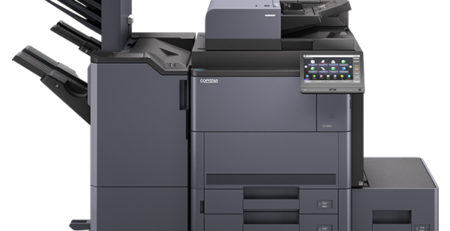
Kyocera printers are widely used in offices because they are known for durability, efficiency, and long-lasting components. Many businesses rely on them for daily printing, scanning, and copying tasks. But even reliable machines sometimes show error codes on the screen.
When an error code appears, printing may stop entirely. This can delay deadlines, frustrate employees, and slow office productivity. Fortunately, many Kyocera printer issues are easy to resolve once you understand the error code.
This guide covers common Kyocera printer error codes, their causes, and solutions. Some issues are easy to troubleshoot, while others may need professional repair.
Why Kyocera Printers Show Error Codes
Error codes appear when the printer detects a problem. Instead of continuing to run with a problem, the printer stops and displays a code to alert the user.
Common reasons Kyocera printers show error codes include:
Paper jams
Small pieces of paper stuck inside the printer can trigger error messages.
Toner cartridge problems
Improperly installed or empty cartridges can cause printing to stop.
Drum unit issues
A worn or incorrectly installed drum reduces print quality.
Network connectivity problems
Many offices connect printers to networks. When the connection fails, the printer may display an error.
Internal hardware faults
Parts such as the fuser or scanner motor may occasionally fail after heavy use.
Sometimes, restarting the printer fixes the problem. In other cases, businesses need professional Kyocera printer repair to restore the machine and minimize downtime.
Most Common Kyocera Printer Error Codes and Solutions
Knowing error codes helps determine if a problem is simple or needs expert attention.
Below are several common Kyocera printer errors and how to fix them.
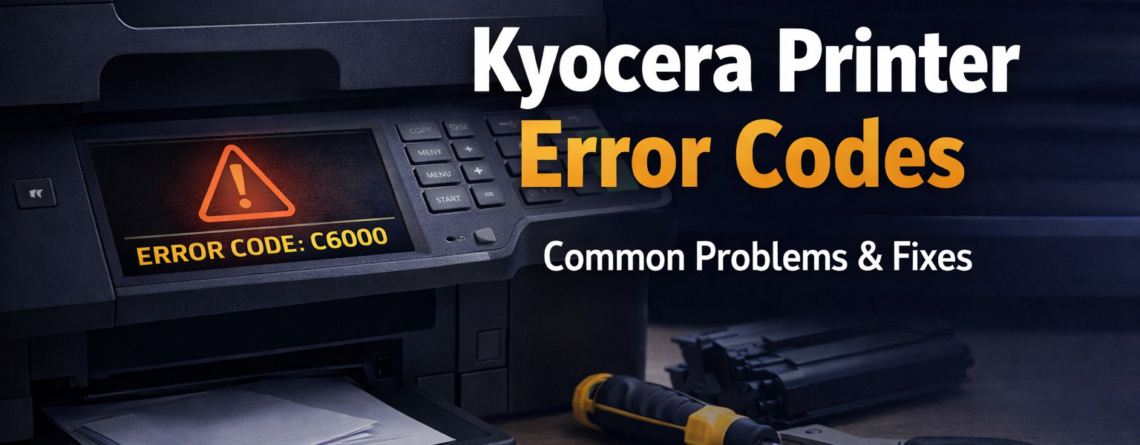
1. Kyocera Error Code C6000 – Fuser Unit Problem
The C6000 error usually points to a problem with the fuser unit. The fuser is responsible for heating the toner and bonding it to the paper.
If the fuser stops working properly, the printer cannot complete printing.
Possible causes
• Overheating in the fuser unit
• Faulty temperature sensor
• Power supply issue
• Internal hardware failure
How to fix it
Turn off and unplug the printer for a few minutes to reset it. Check if the error clears after restarting.
If the error persists, the fuser may need repair or replacement. Contact a professional repair service.
2. Kyocera Error Code C6400 – Laser Scanner Error
C6400 indicates a problem with the printer’s laser scanner unit, which transfers images to the drum.
Without a scanner, clear images cannot be printed.
Possible causes
• Scanner motor malfunction
• Dust buildup inside the printer
• Loose internal connections
How to fix it
First, restart the printer. Sometimes, temporary internal errors cause this code.
Check if the printer is in a dusty area. Dust can affect internal components.
If the error persists, a technician may need to inspect the scanner. Many businesses contact a Kyocera printer repair service when this issue arises.
3. Kyocera Error Code C3100 – Drum Unit Problem
The C3100 error usually indicates that the drum unit is not functioning correctly.
If the drum fails, prints may have streaks, faded text, or blank areas.
Possible causes
• Worn drum unit
• Improper drum installation
• Internal component failure
How to fix it
Open the printer. Carefully remove and then reinstall the drum unit, ensuring it is securely locked in place.
If the problem persists, the drum unit may need to be replaced.
Businesses that rely on printing often contact technicians for Kyocera copier repair to quickly fix drum issues.
4. Kyocera Error Code 1102 – Network Connection Error
Modern offices rely on network printing. If the printer loses network connection, it may display Error 1102.
Possible causes
• Disconnected Ethernet cable
• Router issues
• Incorrect network settings
How to fix it
Check that the Ethernet cable is securely connected to the printer and properly plugged in.
Restart both the router and the printer. This often solves network issues.
If the printer still cannot connect, adjust the IP settings. Businesses may call a Kyocera repair technician when office-wide network printing fails.
5. Kyocera Error Code 7401 – Hard Disk Error
Some Kyocera printers have hard drives for storing print jobs and data. The 7401 error code indicates a problem with the printer’s hard disk.
Possible causes
• Hard disk failure
• Firmware issues
• Internal data corruption
How to fix it
Restart the printer to try resetting the system.
If the error persists, update the printer firmware. If the hard disk is damaged, replace it.
With hardware issues, professional repair is often required.
When to Call a Professional Kyocera Printer Repair Service
Some printer problems are easy to fix; others need expertise.
Call a technician if: error codes repeat, printing stops, strange noises occur, frequent jams happen, or print quality is very poor.
Technicians quickly diagnose issues, replace faulty parts, and restore printers.
For busy offices, local Kyocera printer repair saves time and limits downtime.
Tips to Prevent Kyocera Printer Errors
Regular maintenance prevents many printer problems. Simple practices extend your Kyocera printer’s life.
Keep the printer clean.
Dust and debris inside the printer cause malfunctions. Clean regularly to prevent problems.
Use genuine toner cartridges.
Third-party cartridges may damage the printer or reduce print quality.
Avoid overloading paper trays.
Overloading trays increases paper jams.
Schedule routine maintenance
Routine checks catch small issues before they become costly repairs.
Update printer firmware
Firmware updates boost performance and fix software issues.
A maintained printer runs smoothly and yields reliable results.
Kyocera Printer Repair Services in Orange County
Printer downtime disrupts business operations. Waiting days for repair isn’t practical.
That is why many companies prefer on-site Kyocera printer repair. A technician can quickly inspect, diagnose, and repair the printer.
Professional technicians can handle issues such as:
• Printer error codes
• Fuser replacement
• Drum unit repair
• Network printing problems
• Hardware troubleshooting
Quick repairs keep businesses working without long delays.
Conclusion
Kyocera printers are reliable, but error codes are common with any office equipment. Knowing these codes simplifies troubleshooting.
Some errors can be fixed by restarting the printer or checking the toner cartridge. More complex issues may need professional Kyocera printer repair.
Regular maintenance, proper use, and quick action keep office printers running well.
If your printer shows persistent error codes or stops working, professional help is best.
Frequently Asked Questions
What does the C6000 error mean on a Kyocera printer?
The C6000 error usually indicates a problem with the fuser unit, which heats toner and bonds it to paper.
How do I reset a Kyocera printer error code?
Turn off the printer, unplug it for a few minutes, and restart it. This can reset temporary system errors.
Why does my Kyocera printer keep showing error codes?
Repeated error codes often indicate a hardware problem, such as a failing drum unit, fuser issue, or internal component fault.
Can I fix Kyocera printer errors myself?
Some errors, such as paper jams or toner issues, can be easily fixed. Complex hardware issues usually require professional repair.
When should I call a Kyocera printer repair technician?
You should call a technician if the printer stops working, error codes keep appearing, or internal parts are damaged.
How long does Kyocera printer repair usually take?
Most repairs can be completed within a few hours, depending on the issue and availability of parts.
Are Kyocera printers reliable for office use?
Yes. Kyocera printers are known for durability and long-lasting components, making them popular in business environments.
How can I prevent Kyocera printer problems?
Regular maintenance, proper cleaning, and the use of genuine toner cartridges help prevent many printer issues.
Where can I find Kyocera printer repair near me?
Local printer repair companies often provide on-site service to quickly diagnose and fix printer problems.
Do technicians provide Kyocera copier repair services?
Yes. Many repair services offer both printer and copier repair for Kyocera office machines.